

Introduction
You’re getting visitors. Maybe even thousands every month.
But sales? Still not where they should be.
This is where most ecommerce businesses get stuck—and it’s frustrating because nothing looks obviously broken. The store is live, products are listed, ads are running… yet conversions stay low.
Here’s the reality:
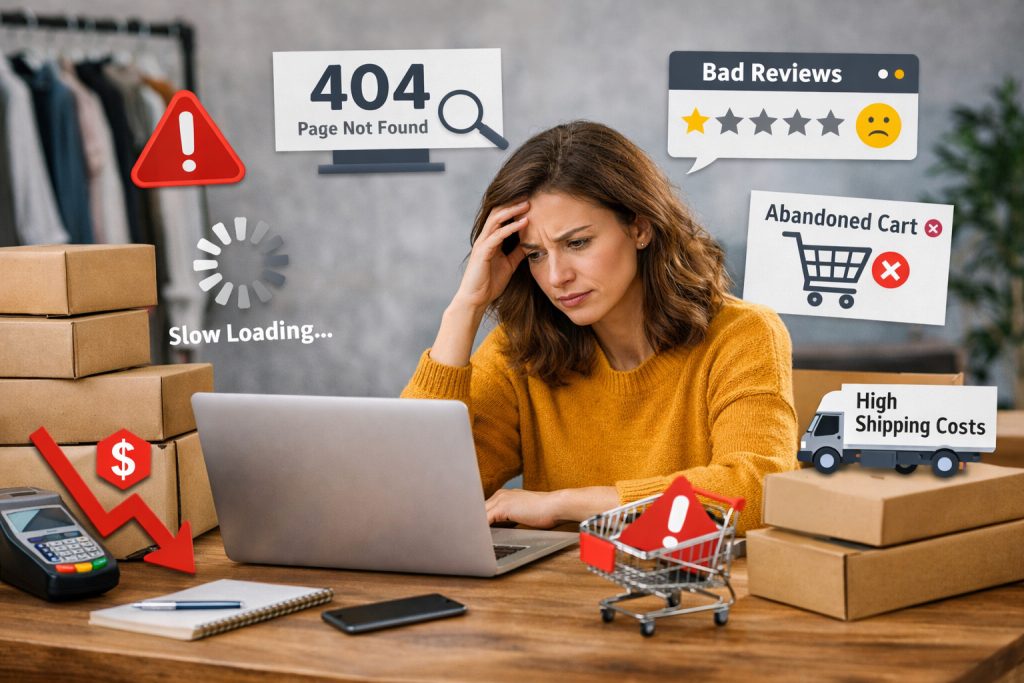
Small ecommerce website mistakes don’t crash your sales—they quietly drain them.
Research shows:
Average ecommerce conversion rates sit around 2–3% (industry benchmarks by Shopify & IRP Commerce)
Nearly 70% of carts are abandoned (Baymard Institute)
That gap isn’t random—it’s caused by friction, confusion, and missed trust signals.
In this guide, you’ll learn:
The 15 most common ecommerce mistakes
Why they hurt conversions
And practical fixes you can apply immediately
Quick Summary of Common Ecommerce Website Mistakes
Here’s a quick overview before we go deeper:
- Slow website speed
- Poor mobile experience
- Complicated checkout process
- Lack of trust signals
- Weak product descriptions
- Low-quality images
- No clear CTAs
- Hidden shipping costs
- No guest checkout
- Confusing navigation
- No SEO optimization
- Poor search functionality
- No personalization
- Ignoring analytics
- No retargeting strategy
If you spotted even a few of these on your site, there’s likely revenue being lost.
Why Ecommerce Websites Fail to Convert
Poor User Experience
If a user has to think too much—where to click, how to proceed—they leave. Even a 1-second delay can reduce conversions by ~7% (Akamai).
Lack of Trust & Credibility
Online buyers look for reassurance:
- Reviews
- Secure payment icons
- Clear policies
Without these, hesitation creeps in—and hesitation kills sales.
Technical Performance Issues
Google data shows that when page load time goes from 1s to 3s, bounce rate increases by 32%. Speed isn’t technical—it’s directly tied to revenue.
Weak Conversion Funnel
Most stores don’t lose customers at the product—they lose them between:
Cart → Checkout → Payment
That’s where friction matters most.
The 15 Ecommerce Website Mistakes (With Fixes)
Mistake #1: Slow Website Speed
Problem: Pages load slowly or feel heavy
Impact: 53% of users leave if load time exceeds 3 seconds (Google)
How to fix:
- Compress images
- Use CDN & fast hosting
- Minimize scripts
Mistake #2: Poor Mobile Experience
Problem: Site isn’t optimized for mobile usability
Impact: Over 60% of ecommerce traffic comes from mobile (Statista)
How to fix:
- Responsive design
- Thumb-friendly buttons
- Faster mobile load speed
Mistake #3: Complicated Checkout Process
Problem: Too many steps or fields
Impact: ~17% of users abandon due to complex checkout (Baymard)
How to fix:
- Reduce steps to 2–3
- Enable autofill
- Offer multiple payment options
If your checkout process feels too complex or outdated, it might be worth exploring professional ecommerce development services to streamline the entire buying experience.
Mistake #4: Lack of Trust Signals
Problem: No reviews, ratings, or security indicators
Impact: 95% of users read reviews before buying (PowerReviews)
How to fix:
- Add customer reviews
- Show SSL/security badges
- Display return policies
Mistake #5: Weak Product Descriptions
Problem: Generic or feature-only content
Impact: Users don’t see value → no purchase decision
How to fix:
- Focus on benefits
- Address customer doubts
- Use clear, persuasive language
Mistake #6: Low-Quality Images
Problem: Poor or limited visuals
Impact: Reduces trust and perceived product value
How to fix:
- High-resolution images
- Multiple angles
- Lifestyle/product-in-use shots
Mistake #7: No Clear CTAs
Problem: Users aren’t guided to take action
Impact: Missed conversions
How to fix:
- Use strong CTAs (“Buy Now”, “Add to Cart”)
- Place above the fold
Also Read – SEO for Ecommerce Product Pages: How to Improve Visibility and Drive Organic Sales
Mistake #8: Hidden Shipping Costs
Problem: Extra charges appear late
Impact: 48% abandon carts due to unexpected costs (Baymard)
How to fix:
- Show shipping upfront
- Offer free shipping thresholds
Mistake #9: No Guest Checkout
Problem: Forced account creation
Impact: Increased friction → drop-offs
How to fix:
- Enable guest checkout
- Offer signup after purchase
Problem: Hard to find products
Impact: Higher bounce rate
How to fix:
- Clear categories
- Logical structure
- Filters and sorting
Mistake #11: No SEO Optimization
Problem: Poor visibility on search engines
Impact: Lost organic traffic
How to fix:
- Optimize product pages
- Use keywords
- Improve meta tags
If your store isn’t showing up on Google despite having good products, investing in structured SEO services can help you build long-term, consistent traffic.
Mistake #12: Poor Search Functionality
Problem: Search doesn’t return relevant results
Impact: Frustrated users leave
How to fix:
- Smart search suggestions
- Filters & sorting
Mistake #13: No Personalization
Problem: Same experience for all users
Impact: Lower engagement and conversions
How to fix:
- Product recommendations
- Recently viewed items
Mistake #14: Ignoring Analytics
Problem: No insight into user behavior
Impact: Decisions based on guesswork
How to fix:
- Use analytics tools
- Track drop-offs
- Analyze user flow
If you’re not sure where users are dropping off, working with a team specialist in conversion optimization services can help uncover hidden friction points and improve performance.
Mistake #15: No Retargeting Strategy
Problem: Lost visitors never return
Impact: Missed revenue opportunities
How to fix:
- Retargeting ads
- Cart recovery emails
- Email remarketing
Ecommerce Website Optimization Checklist
Use this quick audit:
- Fast loading speed ☐
- Mobile optimized ☐
- Simple checkout ☐
- Trust signals visible ☐
- Strong product content ☐
- High-quality images ☐
- Clear CTAs ☐
- Transparent pricing ☐
- Guest checkout ☐
- Easy navigation ☐
- SEO optimized ☐
- Smart search ☐
- Personalization ☐
- Analytics tracking ☐
- Retargeting setup ☐
If you checked “No” for multiple points, it may be time to consider a complete store audit or professional optimization support.
Also Read – How to Do Keyword Research for Ecommerce Websites
Tools to Fix Ecommerce Website Mistakes
- Speed Testing: Google PageSpeed Insights, GTmetrix
- Analytics: Google Analytics 4
- CRO Tools: Hotjar, Crazy Egg
- SEO Tools: Ahrefs, SEMrush
These tools help you identify where users drop off—and why.
Conclusion
Most ecommerce stores don’t fail because of bad products.
They fail because of small, overlooked mistakes:
- A slow page
- A confusing checkout
- A missing trust signal
Individually, they seem minor.
Together, they quietly reduce your conversions—and your revenue.
The good news?
Every single one of these issues is fixable.
And often, fixing them doesn’t require more traffic—
just a better experience for the users you already have.
If you’re serious about fixing these issues and improving your conversions, explore our services—or get your store audited by experts who know exactly where revenue leaks happen.
FAQs
1. Why is my ecommerce store getting traffic but no sales?
Ans. Because of conversion issues like poor UX, lack of trust, or checkout friction.
2. What is a good ecommerce conversion rate?
Ans. Around 2–3%, while optimized stores can reach 4–5%+.
3. What causes cart abandonment?
Ans. Unexpected costs, complicated checkout, and forced signup.
4. How important is mobile optimization?
Ans. Critical—most ecommerce traffic now comes from mobile devices.
5. What should I fix first?
Ans. Start with speed, checkout, and trust signals for maximum impact.
