
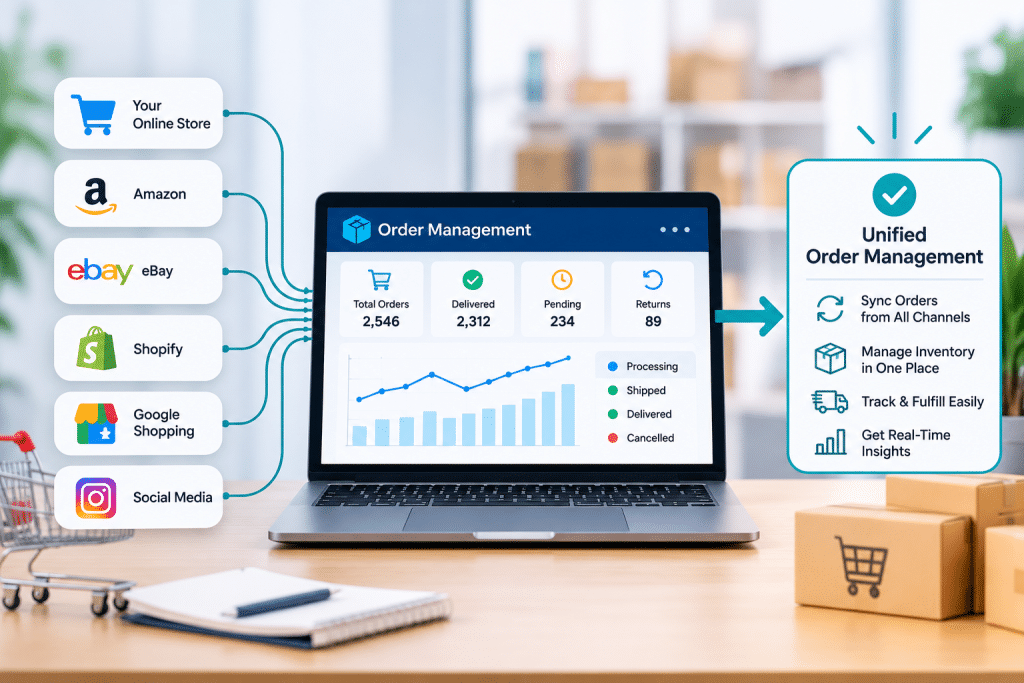

An order comes through Shopify. Another arrives from Amazon. A third comes through your own ecommerce website. Your team now has three orders, different dashboards, and potentially three different inventory records. One mistake can lead to overselling, delayed deliveries, or an unhappy customer.
A Unified Order Management System solves this by bringing orders, inventory, and fulfillment into one connected process. But how do you build one without disrupting the systems your business already uses?
What Is a Unified Order Management System?
An Order Management System (OMS) manages an order from the moment a customer places it until it is delivered, cancelled, or returned.
A unified system connects different sales channels so your team can manage orders from one place.
It typically connects:
- Sales channels: Shopify, Magento, Amazon, and other marketplaces.
- Inventory: Warehouse stock and available product quantities.
- Payments: Payment confirmations, refunds, and cancellations.
- Fulfillment: Picking, packing, shipping, and tracking.
- Business software: ERP and warehouse management systems.
For example, when someone purchases the last available blue jacket through your website, the OMS should reserve that unit and update its availability across connected channels.
No manual stock corrections. No accidental second sale.
How to Build an Order Management System Across Multiple Sales Channels
1. Start by Mapping Your Existing Systems
Before choosing software, find out where your orders come from and where information gets lost.
List your sales channels, warehouses, payment providers, and shipping partners. Then check what information each system shares.
| System | Information to connect |
| Shopify or Magento | Orders, products, customer details |
| Marketplaces | Purchases, cancellations, returns |
| ERP | Product and financial records |
| Warehouse software | Stock and fulfillment updates |
| Shipping providers | Tracking and delivery status |
Pay special attention to product SKUs. If the same product has different identifiers in your store and warehouse, create a proper mapping system.
This prevents orders from being assigned to the wrong products.
2. Connect Sales Channels Through APIs
Your Order Management System needs a reliable way to communicate with each platform.
APIs allow systems to exchange information. Webhooks notify your OMS when something changes, such as a new order, payment confirmation, or cancellation.
A good integration should include:
- Automatic order synchronization.
- Consistent product and customer records.
- Duplicate-order prevention.
- Retry handling when connections fail.
- Error logs for troubleshooting.
Do not assume every platform sends information in the same format. Your integration layer should convert incoming records into a common structure.
3. Keep Inventory Accurate Across Channels
Inventory errors can quickly become expensive.
Suppose your warehouse holds 40 units of a product. Your website and two marketplaces all display 40 units independently. Without shared inventory controls, customers could purchase more than you can actually deliver.
Your OMS should:
- Track available stock by warehouse.
- Reserve quantities when orders are accepted.
- Release stock when orders are cancelled.
- Account for damaged and returned products.
- Maintain safety stock for high-demand items.
Adobe Commerce supports inventory reservations and source selection across multiple warehouses. Its system calculates salable quantities and helps recommend suitable fulfillment locations.
4. Automate Order Routing
Where should an order ship from?
The nearest warehouse is not always the cheapest or most practical option. Your system should consider stock availability, shipping costs, warehouse capacity, and delivery location.
Shopify’s order routing supports rules such as minimizing split shipments, staying within the destination market, and shipping from the closest location.
Your business can use similar rules to:
- Assign orders to suitable warehouses.
- Avoid unnecessary split shipments.
- Reduce shipping costs.
- Handle orders when one location runs out of stock.
For example, if a customer orders a shirt and a pair of shoes, the system should first check whether one warehouse can ship both items before splitting the order.
5. Include Returns and Refunds
A complete OMS should not stop working once an order ships.
It should also manage return requests, cancellations, refunds, exchanges, and inventory updates.
One practical rule: never make a returned product available for sale until its condition has been checked.
Otherwise, a damaged item could accidentally return to your available inventory.
6. Monitor the Entire Order Process
A central dashboard should help your team identify problems before customers complain.
Track these metrics:
| Metric | What to check |
| Inventory accuracy | Does recorded stock match physical stock? |
| Order processing time | Are orders moving quickly? |
| Cancellation rate | Where are orders failing? |
| On-time delivery | Are shipments reaching customers as promised? |
| Return rate | Are products or fulfillment creating problems? |
Also monitor failed integrations. A system can appear to be working while one marketplace has stopped receiving stock updates.
When Do You Need Custom Ecommerce Development?
Not every business needs a completely custom OMS.
A single-store retailer with one warehouse might manage orders using its existing ecommerce platform and a few suitable integrations.
However, custom development becomes worth considering when you have:
- Multiple warehouses or fulfillment partners.
- Several marketplaces with different order rules.
- Complex B2B and B2C workflows.
- An existing ERP that must remain connected.
- Frequent inventory discrepancies.
- Business-specific shipping and return processes.
Webiators‘ Ecommerce Development Services cover multi-platform development and third-party integrations. Businesses with specific operational requirements can also explore a Custom Ecommerce Website Development Service to build functionality around their existing processes.
For Shopify stores, Shopify Development Services can support custom functionality, integrations, and platform improvements.
The right solution should fit the way your business operates, not force your team to change every process to accommodate software.
Read Also:- Why Has My Website Traffic Dropped After a Google Update? What Should I Do Next?
Frequently Asked Questions
1. What is the difference between order management and order fulfillment?
Order management covers the complete order lifecycle, including payment, inventory allocation, routing, and returns. Fulfillment specifically covers picking, packing, and shipping products.
2. Can Shopify handle order management across multiple sales channels?
Yes. Shopify supports centralized order management, multiple inventory locations, and configurable order routing. Businesses with more complex requirements may need additional apps or custom integrations.
3. When should a business invest in a unified order management system?
Consider one when your team spends too much time combining orders manually, inventory frequently falls out of sync, or managing multiple fulfillment locations becomes difficult.
4. Can an order management system connect with ERP and warehouse software?
Yes. APIs, webhooks, and middleware can connect an OMS with ERP, WMS, payment gateways, and shipping providers, depending on the integration capabilities of each system.
5. Does every ecommerce business need a custom OMS?
No. Smaller businesses may find existing platform features sufficient. Custom development is more useful when standard tools cannot support specific sales, inventory, or fulfillment requirements.
Bring Your Sales Channels Together
Adding another sales channel should not mean adding another operational headache.
A properly planned Order Management System gives your team a clearer view of every order, more reliable inventory information, and better control over fulfillment.
Start by identifying the gaps in your current setup. Then decide whether existing integrations are enough or whether your business needs a custom solution.
Need help connecting your ecommerce operations? Speak with Webiators about building an ecommerce system around your business requirements.
