

If you run an online store, your browser is basically mission control. No exaggeration. It’s where you check overnight orders, glance at the ad dashboard, answer a customer’s email, and maybe approve a payout – often all before your coffee’s even finished. That makes it one of the most valuable pieces of real estate on your whole computer. And that, unfortunately, is exactly what makes it worth targeting.
One threat that quietly slips past a lot of busy store owners? The browser hijacker. I know, the name sounds dramatic – like something out of a heist movie. But the reality’s a lot less cinematic. It doesn’t show up with a big red pop-up screaming “YOU’VE BEEN HACKED.” That’s just not how it operates. It moves in quietly, rearranges a few things, and starts working in the background while you’re busy clearing your to-do list. You won’t even notice.
So what exactly is this thing? Let’s dig in a bit.
What Exactly Is a Browser Hijacker?
Put simply, it’s unwanted software that takes over parts of your browser without so much as asking first. Maybe your homepage resets to something you never picked. Maybe an extension shows up out of nowhere that you definitely don’t remember installing. Or maybe your searches start getting rerouted through some other search engine – one that cares a lot more about serving you ads, or quietly logging what you’re up to, than actually helping you find anything.
Here’s the sneaky part, though: it rarely kicks the door down. Usually, it tags along with a bundled download, hides inside a shady extension, or rides in on a pop-up dressed up to look like a real system alert. Once it’s in, don’t expect fireworks. It’s not going to crash your laptop or trip any alarms. It just… stays. Quietly. Which, honestly, is exactly why people miss it for weeks. Sometimes months, if we’re being honest.
Why This Matters More When You’re Running a Store
On a personal laptop, a hijacked browser is annoying at worst – a little embarrassing, maybe, but not the end of the world. Now try logging into a store admin panel, an ad manager, a payment processor, and a support inbox from that same browser. Suddenly it’s a different level of risk. A hijacker sitting quietly in the background can:
• Slow your dashboards and product uploads to a crawl, usually right when you can least afford it – like during a big sale
• Quietly redirect traffic meant for your store, chewing through ad spend and throwing your analytics off
• Expose saved logins or session data tied to your storefront, ad accounts, or inbox
• Make follow-up phishing attempts look uncomfortably convincing, since whoever’s behind it already knows exactly which tabs you keep open
None of that means your store’s been “hacked” in the dramatic Hollywood sense, guns blazing. It’s usually a lot quieter – more of a slow leak than a break-in. But when your business runs on trust and uptime, even a slow leak leaves a mark eventually.
A Realistic Scenario for a Small Store Owner
Picture a fairly ordinary morning. You open your laptop, check overnight orders, flip over to your ad account, switch again to answer a customer’s email. If a hijacker’s already settled in, none of that is going to look obviously wrong. Pages might just load a touch slower than you remember. A search for a shipping carrier might land you on some random comparison site first, instead of the one you actually wanted. There might be an extension sitting in your toolbar that you genuinely can’t place – one you’d swear you never installed.
On its own, none of that screams “problem.” That’s the thing. But string a few weeks of it together, and you’re looking at wasted ad clicks, a sluggish workflow, and session data quietly making its way somewhere it really shouldn’t be. That’s the real danger here – it almost never causes one big, obvious disaster. It just piles up a bunch of small ones until, one day, you notice.
The Common Signs of a Browser Hijacker
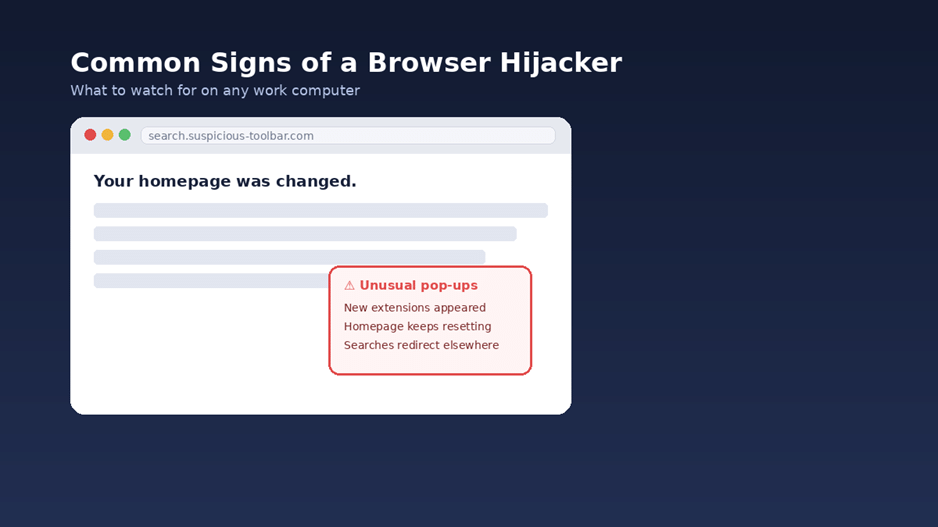
Good news, though: browser hijackers rarely hide perfectly. Once you know the common signs of a browser hijacker, you can usually catch one before it turns into a real headache. A few things worth watching for:
• Your homepage, or your default search engine, changes without you touching a thing
• A new browser extension or toolbar shows up that you don’t remember adding – ever
• Searches keep redirecting you somewhere unfamiliar instead of where you actually meant to go
• Pop-up ads start showing up in places that never used to have them
• Your browser, or your whole machine, runs noticeably slower than usual, sometimes with the fans spinning up for no obvious reason
If two or three of these show up around the same time, it’s worth stopping to take a closer look. Don’t just chalk it up to “my computer’s having a slow day” and move on. That’s how it slips by.
Practical Ways to Keep Your Store’s Devices Safe
Here’s the reassuring part: you don’t need to become a cybersecurity expert to bring this risk way down. A handful of simple habits, kept up consistently by you and anyone else on your team, go a surprisingly long way.
Treat Your Admin Logins Like the Keys to Your Business
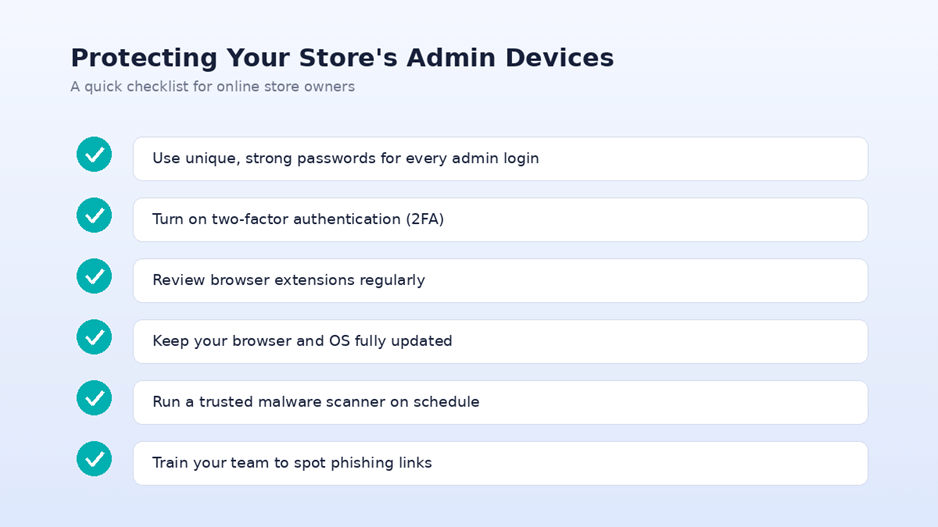
• Give your store admin, payment dashboard, and ad accounts each their own strong, unique password – not the same one recycled everywhere
• Turn on two-factor authentication anywhere it’s offered. Takes two minutes, closes a lot of doors
• Skip saving business passwords in a browser on any shared or public computer, tempting as it is
Keep Your Browser Environment Clean
• Every few months, go through your installed extensions and clear out anything you don’t recognize or actually use anymore
• Stick to extensions from official browser stores, and take a minute to check reviews before adding something new
• Keep your browser and operating system updated. Updates patch exactly the holes hijackers rely on, so putting them off isn’t doing you any favors
Build a Light Security Routine
• Run a trusted malware scan on a regular schedule, not just when something already feels off
• Clear your cache and cookies now and then, especially after installing new software
• Got a team? Spend ten minutes showing everyone what a phishing link, or a fake “update your browser” pop-up, actually looks like
Why This Belongs on Your Business Checklist, Not Just Your IT List
It’s tempting to file all this under “tech stuff” and hand it off to whoever built your website. But if you’re the one logging into your store, your marketing tools, and your customer data every single day, this isn’t really an IT problem. It’s a business continuity one. A store that loads slowly, sends customers somewhere they shouldn’t be, or has its ad budget quietly drained isn’t dealing with a minor technical hiccup – that’s lost sales, plain and simple, and a dent in the trust you’ve spent a long time building.
The same way you’d double-check your checkout flow or your shipping settings before a big sale, it’s worth carving out ten minutes to check the health of the browser you run your business from. It’s a small habit. It protects a surprising number of moving parts at once.
Key Takeaways
• Browser hijackers work quietly – changing settings and habits rather than crashing anything outright
• For store owners, that quiet takeover can mean slower operations, wasted ad spend, and exposed logins
• Watch for changed homepages, extensions you don’t recognize, redirected searches, and slowdowns you can’t explain
• Strong unique passwords, 2FA, regular extension check-ins, and routine malware scans genuinely make a difference
• This belongs on your regular business checklist – not just something IT quietly handles once a year
Running an online store already means juggling a dozen priorities at once, so browser security doesn’t need to jump to the top of the list. It just needs to become a habit – the same kind you keep up with restocking inventory or answering customer messages. A few small checks now can save you a much bigger cleanup later. Worth the ten minutes, honestly.
