
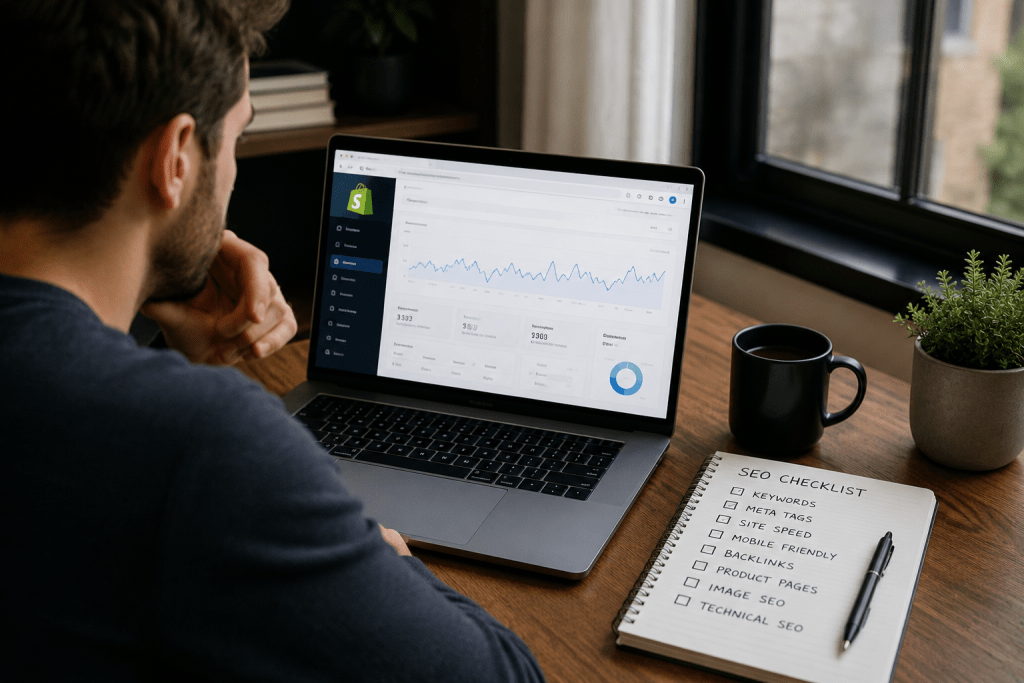

A Shopify store can be beautifully designed, stocked with great products, and still struggle to attract organic traffic. I’ve seen businesses spend thousands on ads while their competitors quietly generate consistent sales through Google Search. The difference rarely comes down to the platform. More often, it’s the way the store has been optimized.
Shopify already takes care of several technical SEO essentials, including SSL certificates, XML sitemaps, and canonical URLs. That means the real opportunity lies in everything you control: your content, site structure, page experience, and technical maintenance.
If you’ve been searching for a practical Shopify SEO checklist instead of another list of generic tips, you’re in the right place. This guide breaks down 25 improvements that help search engines understand your store, build trust with shoppers, and increase your chances of ranking for the keywords that actually drive revenue.
Why Isn’t Your Shopify Store Ranking?
One of the biggest misconceptions in ecommerce is that changing platforms automatically improves rankings. Google doesn’t rank Shopify, WooCommerce, or Magento. It ranks websites that provide the most helpful answer to a searcher’s intent.
When I audit Shopify stores that struggle to gain organic visibility, the same issues appear repeatedly.
- Product pages target broad or irrelevant keywords.
- Collection pages contain little or no useful content.
- Images slow down the website.
- Internal links fail to guide users and search engines.
- Duplicate metadata creates confusion.
- Technical issues stop important pages from being indexed efficiently.
None of these problems are permanent. They can all be improved with a structured approach. Instead of chasing algorithm updates, focus on building a store that’s genuinely useful for customers. That’s exactly what this Shopify SEO checklist is designed to help you achieve.
Shopify SEO Checklist: 25 Fixes That Actually Work
Shopify On Page SEO (Fixes 1 to 8)
1. Start With Search Intent, Not Just Keywords
Many merchants optimise for high-volume keywords because they look attractive in SEO tools. The problem is that traffic without buying intent rarely converts.
For example, someone searching “running shoes” could be looking for reviews, images, or brands. A shopper searching “men’s waterproof trail running shoes” is much closer to making a purchase. Build your pages around specific, commercial search intent rather than chasing volume alone.
2. Write Product Titles That Explain Exactly What You’re Selling
A product title should do more than name an item. It should help both shoppers and search engines understand what makes the product relevant.
Instead of:
Classic Backpack
Write:
Waterproof Laptop Backpack for Travel and Office Use
Descriptive titles improve relevance while naturally supporting your target keywords.
3. Turn Product Descriptions Into Buying Guides
One of the fastest ways to lose rankings is by copying supplier descriptions.
Instead, answer the questions customers ask before they buy.
Include:
- Who the product is for
- Key benefits
- Materials or specifications
- Care instructions
- Frequently asked questions
The more helpful your page becomes, the more value it provides to both visitors and search engines.
4. Write Meta Titles That Earn the Click
Ranking on page one means very little if nobody clicks your result.
Keep your title clear, place the primary keyword naturally near the beginning, and give shoppers a reason to choose your page instead of the ten others competing for attention.
Your meta description should reinforce that value by highlighting what makes your product or category worth exploring.
5. Structure Every Page for Humans First
Good formatting improves SEO because it improves readability.
Use a single H1 heading followed by logical H2 and H3 sections. Break long paragraphs into shorter ones, add bullet points where they improve clarity, and make important information easy to scan.
When visitors find answers quickly, they’re more likely to stay engaged.
6. Optimise Every Image Before Uploading
Images often become one of the biggest reasons ecommerce stores feel slow.
Before uploading an image:
- Compress the file size.
- Rename it with descriptive words.
- Add meaningful alt text.
- Use consistent dimensions where possible.
These simple habits improve page speed, accessibility, and image search visibility without requiring advanced technical knowledge.
7. Build Internal Links That Help Shoppers Continue Their Journey
Every page should naturally lead to another useful page.
A product page can link to its collection. A buying guide can recommend relevant products. A category page can answer common questions through supporting articles.
This structure helps search engines discover important pages while encouraging visitors to explore more of your store.
Businesses planning long-term organic growth often strengthen this structure through professional Ecommerce SEO Services, especially when managing large product catalogues.
8. Make Collection Pages Worth Ranking
Many collection pages contain nothing beyond a grid of products. That’s a missed opportunity.
Add a short introduction that explains what customers will find, who the products are designed for, and how to choose the right option. Include naturally related keywords instead of repeating the same phrase.
Well-optimised collection pages frequently become some of the strongest traffic drivers in an ecommerce store.
Shopify Technical SEO (Fixes 9 to 15)
Technical SEO isn’t about making your website look better. It’s about making it easier for search engines to crawl, understand, and trust your content.
Fortunately, Shopify already handles part of the heavy lifting. Your job is to make sure the remaining pieces don’t hold your rankings back.
9. Submit Your XML Sitemap to Google Search Console
Shopify automatically generates an XML sitemap, but Google still needs to discover it through Google Search Console.
Submitting your sitemap helps search engines find new products, updated collections, and recently published content more efficiently. It’s a simple task that ensures your most important pages have the best chance of being indexed.
10. Check Your Robots.txt File After Major Changes
Shopify automatically creates a robots.txt file, but installing apps, changing themes, or making custom edits can unintentionally affect how search engines crawl your store.
Review it periodically to ensure valuable pages aren’t blocked. A page that Google can’t crawl has little chance of ranking, no matter how good its content is.
11. Keep Canonical URLs Working for You
Duplicate content is common in ecommerce. The same product may appear in multiple collections or filtered pages, creating several URLs for one item.
Shopify adds canonical tags automatically, but it’s still worth checking that search engines recognize the preferred version of every important page. This prevents duplicate pages from competing against each other.
12. Improve Core Web Vitals
Page speed is no longer just a user experience metric. It directly influences how visitors interact with your store.
Audit your website for:
- Oversized images
- Unused Shopify apps
- Heavy JavaScript
- Third party tracking scripts
- Slow-loading banners
A faster store encourages visitors to browse longer, reduces bounce rates, and supports better search performance.
13. Fix Broken Links Before Customers Find Them
Nothing breaks trust faster than clicking a product and landing on a 404 page.
Run regular site crawls to identify broken internal links and outdated redirects. Every repaired link improves navigation while helping search engines crawl your website more efficiently.
14. Make Mobile Shopping Frictionless
Most ecommerce searches now begin on a mobile device.
Open your store on different screen sizes and complete a purchase yourself. If filters are difficult to use, buttons overlap, or checkout feels frustrating, your customers are experiencing the same problems.
Google rewards websites that deliver an excellent mobile experience because that’s what users expect.
15. Add Structured Data to Important Pages
Structured data helps search engines understand exactly what your pages represent.
Product schema can communicate:
- Product name
- Price
- Availability
- Ratings
- Reviews
When implemented correctly, structured data can improve how your listings appear in search results and increase click-through rates.
Content & Authority (Fixes 16 to 21)
Technical SEO gets your pages discovered. Content gives people a reason to trust your brand.
16. Build Topic Clusters, Not Random Blogs
Publishing isolated blog posts rarely creates lasting authority.
Instead, organise your content around customer journeys.
For example, if you sell skincare products, support your collection pages with ingredient guides, comparison articles, skincare routines, seasonal advice, and frequently asked questions. This connected structure demonstrates expertise while naturally strengthening internal links.
17. Publish Buying Guides That Remove Doubt
Customers often hesitate because they don’t know which product suits their needs.
Buying guides answer those questions before they become objections.
Topics such as “Which office chair is best for back pain?” or “How to choose the right yoga mat thickness” attract qualified visitors who are actively researching before making a purchase.
18. Answer Questions Before Customers Ask Support
Every customer service conversation contains SEO opportunities.
Turn recurring questions into FAQ sections, knowledge base articles, and blog posts. This creates content that matches conversational searches while improving your chances of appearing in AI generated answers.
19. Encourage Genuine Customer Reviews
Authentic reviews do more than build trust.
They continuously add fresh, user generated content to your product pages while reinforcing topical relevance. Encourage customers to describe how they use the product, what problem it solved, and who they’d recommend it to.
Detailed reviews often answer the exact questions future buyers type into Google.
20. Refresh High Performing Pages
Your best pages deserve ongoing attention.
Update statistics, improve examples, replace outdated screenshots, strengthen internal links, and expand sections where search intent has evolved.
Small improvements made consistently often outperform publishing dozens of new pages.
21. Create Content Worth Referencing
The strongest ecommerce brands don’t just sell products. They become reliable sources of information.
Publish original research, industry insights, comparison articles, seasonal buying trends, and practical resources that other websites naturally want to reference. This approach strengthens authority and earns links organically.
Monitoring & Growth (Fixes 22 to 25)
22. Review Google Search Console Every Week
Google Search Console reveals what customers are actually searching before they reach your store.
Monitor:
- Search queries
- Click through rates
- Index coverage
- Crawl errors
- Pages gaining or losing visibility
These insights help you make decisions based on real data instead of assumptions.
23. Schedule a Shopify SEO Audit
SEO issues accumulate over time.
A comprehensive Shopify SEO audit helps identify duplicate metadata, orphan pages, redirect chains, crawl errors, indexing issues, and opportunities to improve content before rankings begin to decline.
Treat SEO audits as preventive maintenance rather than emergency repairs.
24. Measure Revenue, Not Just Rankings
Ranking first means very little if visitors never buy.
Track the metrics that directly affect business growth:
- Organic conversions
- Revenue from search
- Add-to-cart rate
- Average order value
- Customer acquisition cost
SEO should contribute to business outcomes, not vanity metrics.
25. Keep Improving as Your Business Grows
Search behaviour changes. Competitors evolve. Google updates its systems regularly.
The stores that continue growing aren’t those chasing every algorithm update. They’re the ones that consistently improve content, customer experience, and technical performance.
As your catalogue expands, investing in Shopify Development Services helps maintain a scalable website architecture that supports long-term organic growth.
Is Shopify SEO Different From Normal SEO?
The fundamentals remain exactly the same.
Google still evaluates relevance, helpful content, authority, page experience, and technical quality regardless of the ecommerce platform.
The advantage of Shopify is that many technical essentials are already built in, including SSL certificates, XML sitemaps, canonical URLs, and mobile responsive themes. That allows merchants to spend more time improving content quality, site structure, and customer experience instead of managing server configurations.
When DIY SEO Stops Delivering Results
There comes a point where fixing titles and publishing blog posts isn’t enough.
If your traffic has plateaued, important pages aren’t getting indexed, or technical issues continue appearing, it’s worth investing in a professional Technical SEO Audit. A detailed audit uncovers hidden problems that limit visibility and provides a clear roadmap for sustainable growth.
Conclusion
A successful Shopify store isn’t built on shortcuts or one-time optimisations. It’s built through consistent improvements that make the website faster, clearer, and genuinely more useful for customers.
Use this Shopify SEO checklist as a working framework rather than a one-time task list. Start with the fixes that have the greatest impact, measure the results, and keep refining your store over time. Every improvement strengthens your visibility, builds trust with shoppers, and increases your chances of earning qualified organic traffic from both Google and AI-powered search platforms.
FAQs
1. Does Shopify have built in SEO?
Yes. Shopify includes built-in SEO features such as SSL certificates, XML sitemaps, canonical URLs, editable title tags, meta descriptions, and mobile-friendly themes. However, you still need to optimise content, site structure, and performance to compete in search results.
2. How often should I audit Shopify SEO?
A complete Shopify SEO audit every three to six months is a good practice. You should also monitor Google Search Console regularly to catch indexing, crawl, or performance issues early.
3. Which SEO apps are useful for Shopify?
Choose apps that solve specific problems, such as structured data, image optimisation, redirects, or schema markup. Avoid installing unnecessary apps, as too many can slow down your store.
4. What are common Shopify SEO mistakes?
The most common mistakes include copying manufacturer descriptions, targeting the wrong keywords, neglecting collection pages, poor internal linking, ignoring page speed, and skipping regular technical reviews.
5. How long does Shopify SEO take to show results?
Most stores begin seeing meaningful improvements within three to six months, provided technical issues are resolved, content is consistently improved, and SEO best practices are followed over time.
