


Your Magento store may look perfectly fine today. Orders are coming in, customers are checking out, and nothing appears broken. That creates a dangerous illusion. Many store owners postpone upgrades simply because everything seems to be working.
I’ve seen this happen repeatedly. A business delays a version upgrade Magento project for months, sometimes years, thinking it will save time and money. Then a security vulnerability is exploited, a critical extension stops working, or the store slows down after traffic increases. Suddenly, the “later” upgrade becomes an emergency migration.
Magento isn’t software you install once and forget. Adobe continuously releases Adobe Commerce updates and Magento Open Source releases to improve security, performance, compatibility, and stability. Ignoring those updates gradually increases business risk.
If you’re searching for a practical Magento upgrade guide, this article explains exactly what happens when upgrades are delayed, how to prepare safely, and what you should validate after deployment.
Why Upgrades Matter
Every Magento release solves a real business problem. Some releases fix security vulnerabilities. Others improve checkout reliability, PHP compatibility, API performance, caching, or support for newer infrastructure.
Skipping one update may not create immediate problems. Skipping several creates technical debt that becomes increasingly expensive to resolve.
Here’s what regular upgrades help maintain:
- Better website security
- Faster page loading
- Improved checkout stability
- Compatibility with newer PHP versions
- Better extension support
- Long-term platform stability
- Improved customer experience
Think about maintaining a car. Missing one oil change may not destroy the engine, but ignoring maintenance for two years almost certainly will. Magento works much the same way.
Businesses investing in professional Magento Development Services usually treat upgrades as preventive maintenance rather than emergency repairs. That mindset saves both money and downtime over time.
Magento Security Risks
The biggest reason to upgrade isn’t appearance.
It’s protection.
Every outdated Magento version becomes a larger target because publicly disclosed vulnerabilities eventually become known to attackers. Once Adobe publishes security fixes, hackers often begin scanning websites that haven’t installed those patches.
Common Magento security risks include:
Data theft
Customer information, addresses, emails, and order history may become vulnerable if security weaknesses remain unpatched.
Payment risks
Although payment gateways add their own protection, outdated stores can still expose checkout processes to unnecessary risks.
Malware injections
Attackers frequently inject spam pages, malicious scripts, hidden redirects, or phishing content into vulnerable ecommerce websites.
Administrative account compromise
Weak security patches may increase the chance of unauthorized admin access.
Reputation damage
Customers lose confidence quickly after a public security incident. Recovering trust usually costs far more than performing routine upgrades.
Patch update Magento releases exist because new threats continue to emerge. Installing them isn’t simply following recommendations. It’s protecting revenue.
Performance Risks
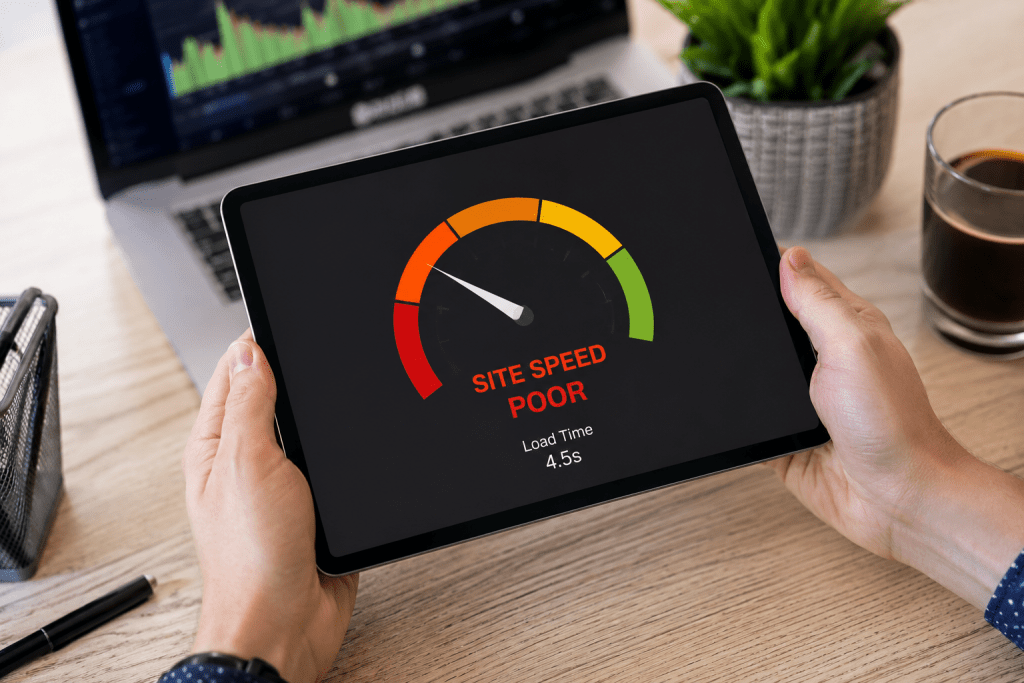
Security isn’t the only concern.
Older Magento versions gradually become slower as technology around them evolves.
Customers today expect pages to load almost instantly. Even a few extra seconds can increase bounce rates and reduce completed purchases.
Common performance issues include:
Slower page speed
Newer Magento releases include optimizations for indexing, caching, database queries, and backend processing.
Checkout delays
As catalogs grow larger, inefficient processes become more noticeable during checkout.
Higher server usage
Older code often requires more server resources to perform identical tasks.
Poor mobile experience
Modern ecommerce traffic is heavily mobile. Performance improvements directly influence mobile conversions.
Compatibility limitations
New PHP versions deliver significant performance improvements, but older Magento versions may not support them safely.
Imagine running today’s ecommerce business using a computer from ten years ago. It may still turn on, but every task feels slower. Software behaves the same way.
SEO Risks
Many merchants don’t realize delayed upgrades can quietly hurt search visibility.
Google evaluates more than keywords.
Website performance, security, usability, structured data, crawlability, and page experience all influence organic performance.
Here are several SEO risks that appear over time.
Slow Core Web Vitals
Page speed affects both user experience and search performance.
Broken structured data
Extensions relying on outdated code may generate schema issues after surrounding technologies change.
Crawl problems
Server errors, broken redirects, and outdated components reduce crawling efficiency.
Higher bounce rates
Slow stores lose impatient visitors before product pages fully load.
HTTPS or certificate issues
Older environments sometimes create compatibility problems with modern security requirements.
If your ecommerce business depends on organic traffic, delaying upgrades can slowly reduce visibility without obvious warning signs.
That is one reason businesses combine upgrades with proactive Magento Security Services to identify vulnerabilities before they become expensive problems.
Upgrade Planning
A successful upgrade starts long before developers touch production.
Planning reduces downtime, protects revenue, and prevents unexpected failures.
I usually recommend treating upgrades like structured projects rather than quick software updates.
A practical upgrade plan includes:
Review your current Magento version
Document exactly which version you’re running, including installed security patches. This helps determine the safest upgrade path and identifies any versions that require intermediate updates.
Audit extensions
Identify outdated, abandoned, or unsupported third-party extensions. Contact extension vendors if needed to confirm compatibility with your target Magento version before proceeding.
Verify PHP compatibility
Magento versions support specific PHP releases. Compatibility should always be checked first. Running an unsupported PHP version can lead to installation failures and unexpected application errors.
Review custom development
Custom modules often require additional testing during upgrades. Carefully review custom code to identify deprecated functions or conflicts with the latest Magento release.
Schedule around business activity
Avoid upgrading during peak sales periods, promotional campaigns, or seasonal events. Choosing a low-traffic window minimizes the impact on customers if unexpected issues arise.
Create a rollback plan
Every upgrade should have a recovery strategy if unexpected issues occur. Keep verified backups and a documented rollback process so your store can be restored quickly if needed.
Good planning dramatically reduces upgrade risk. Poor planning turns routine maintenance into emergency troubleshooting.
Common Upgrade Challenges
Every Magento store is different. Some have a handful of extensions, while others have years of custom development layered on top of the core platform. That’s why no two upgrades follow the exact same path.
Knowing the common challenges before you begin makes the process far more predictable.
Extension Compatibility
One of the biggest issues during a version upgrade Magento project is third-party extensions.
Some extension developers release updates alongside new Magento versions. Others take weeks or months. A few stop maintaining their products entirely.
Before upgrading, review every installed extension and confirm:
- It supports your target Magento version.
- It supports your PHP version.
- It is actively maintained.
- An updated release is available.
If an extension is no longer supported, replacing it before the upgrade is often the safer option.
Custom Code Conflicts
Many merchants customize checkout flows, product pages, pricing logic, or integrations. These customizations may conflict with newer Magento core files.
Instead of assuming existing code will continue to work, perform a complete code review and refactor where necessary. This approach reduces unexpected issues after deployment.
Theme Compatibility
Your storefront theme should also be evaluated.
Outdated themes may create:
- Broken layouts
- CSS issues
- JavaScript errors
- Mobile responsiveness problems
- Checkout display inconsistencies
A staging environment helps identify these issues before customers ever see them.
Third-Party Integrations
Most ecommerce stores rely on external systems, including:
- ERP software
- CRM platforms
- Payment gateways
- Shipping providers
- Marketing automation tools
- Inventory management systems
Each integration should be tested after the upgrade to confirm that APIs, authentication, and data synchronization continue to function correctly.
Database Complexity
Large product catalogs, customer records, and years of order history make database upgrades more demanding.
A structured upgrade plan includes database optimization, backups, and validation before any production changes are made.
This is where experienced Magento Upgrade Services can significantly reduce project risk by identifying compatibility issues early rather than fixing them after launch.
Testing Strategy
An upgrade should never go directly from development to a live store.
Testing is what separates a smooth deployment from an expensive outage.
I recommend validating every major business function before going live.
Create a Staging Environment
A staging site should closely match your production server, including:
- PHP version
- Database version
- Extensions
- Theme
- Server configuration
Testing in a different environment often hides issues that only appear in production.
Functional Testing
Walk through your customer’s entire buying journey.
Verify:
- Homepage
- Category pages
- Product pages
- Search
- Layered navigation
- Customer registration
- Login
- Cart updates
- Checkout
- Payment
- Order confirmation
- Customer account
If even one step fails, revenue can be affected.
Admin Testing
Don’t forget the backend.
Confirm that administrators can:
- Add products
- Update inventory
- Process orders
- Create promotions
- Generate invoices
- Manage customers
- Export reports
Performance Testing
Measure performance before and after the upgrade.
Compare:
- Page load times
- Checkout speed
- API response times
- Database queries
- Cache efficiency
- Server resource usage
Performance should improve or remain stable after deployment.
Security Validation
Since many businesses upgrade primarily to reduce Magento security risks, verify that:
- Security patches are installed.
- Admin access is protected.
- File permissions are correct.
- HTTPS works properly.
- Vulnerability scans show no critical issues.
Testing should answer one question:
“Would I confidently allow thousands of customers to shop on this store today?”
If the answer isn’t yes, continue testing.
Magento Upgrade Checklist
Before upgrading, confirm each of these tasks has been completed.
Pre Upgrade
✔ Verify the current Magento version
✔ Review Adobe Commerce updates
✔ Check PHP compatibility
✔ Audit all installed extensions
✔ Review custom modules
✔ Review theme compatibility
✔ Create a full database backup
✔ Backup media files
✔ Document server configuration
✔ Build a staging environment
During Upgrade
✔ Apply the required version upgrade Magento packages
✔ Update Composer dependencies
✔ Resolve extension conflicts
✔ Run database upgrade commands
✔ Deploy static content
✔ Reindex data
✔ Flush caches
✔ Verify logs for errors
Before Launch
✔ Test checkout
✔ Test payment gateways
✔ Test customer login
✔ Verify shipping methods
✔ Confirm email functionality
✔ Review SEO settings
✔ Validate structured data
✔ Check mobile responsiveness
✔ Monitor performance metrics
A checklist keeps the project organized and dramatically reduces the chance of overlooking a critical step.
Post Upgrade Validation
Your upgrade isn’t complete the moment the deployment finishes. In many ways, that’s where the real work begins. A successful upgrade means your store is secure, performs well, and delivers the same or an even better shopping experience than before.
Here’s what I always recommend validating after a Magento upgrade.
Monitor Website Performance
Compare key performance metrics before and after the upgrade.
Check:
- Homepage loading speed
- Product page speed
- Category page performance
- Checkout completion time
- Server response time
- Cache hit rate
Even small improvements can lead to better user engagement and higher conversions.
Verify Orders and Payments
Process several test orders using different payment methods.
Make sure:
- Orders are created successfully.
- Payment gateways complete transactions.
- Order confirmation emails are sent.
- Invoices and shipments are generated correctly.
- Refunds work as expected.
A functioning checkout is the highest priority after any ecommerce upgrade.
Check Search Engine Visibility
Review your SEO configuration to ensure nothing changed unexpectedly.
Verify:
- XML sitemap generation
- Robots.txt
- Canonical tags
- Meta titles and descriptions
- Structured data
- URL rewrites
- 301 redirects
Running a crawl with your preferred SEO tool can quickly identify broken links, duplicate pages, or indexing issues before search engines do.
Review Analytics and Tracking
Confirm that all marketing and analytics tools are still collecting accurate data.
This includes:
- Google Analytics
- Google Tag Manager
- Google Ads conversion tracking
- Meta Pixel
- Email marketing integrations
- Heatmap tools
Missing tracking data can make it difficult to measure campaign performance or identify conversion issues.
Monitor Error Logs
For the first few days after deployment, regularly review:
- Magento logs
- PHP logs
- Server logs
- Payment gateway logs
Resolving small errors early prevents them from becoming larger operational problems.
Gather Customer Feedback
Sometimes customers notice issues that automated testing doesn’t catch.
Pay attention to:
- Support tickets
- Live chat conversations
- Customer reviews
- Checkout abandonment
- Product page feedback
If multiple users report the same issue, investigate it immediately.
A successful upgrade should feel almost invisible to customers. They should simply experience a faster, more secure, and more reliable store.
Final Thoughts
Upgrading Magento isn’t simply about installing the latest version. It’s about protecting your business, improving customer experience, and keeping your ecommerce store ready for future growth.
Every postponed update adds technical debt. Eventually, that debt affects security, site speed, search visibility, extension compatibility, and customer trust. Waiting until something breaks often turns a manageable maintenance task into a costly recovery project.
I always recommend treating upgrades as part of your long-term ecommerce strategy rather than an occasional technical task. Regular updates help your store remain secure, scalable, and competitive while reducing the likelihood of unexpected downtime.
If you’re unsure where your current store stands, start with a professional assessment instead of guessing. Understanding your risks today is far easier than fixing avoidable problems tomorrow.
Request Upgrade Assessment
Not sure whether your Magento store is ready for its next upgrade? Webiators’ team can evaluate your current version, review extensions, identify compatibility issues, assess potential security risks, and provide a clear upgrade roadmap tailored to your business. Request your Upgrade Assessment today and upgrade with confidence while minimizing downtime and protecting your online store.
FAQs
1. Will upgrading Magento break my store?
Not if it’s done correctly. A well-planned Magento upgrade that includes backups, compatibility checks, and testing in a staging environment minimizes the risk of downtime or functionality issues.
2. How long does a Magento upgrade take?
The timeline depends on your store’s size and complexity. A standard Magento store may take a few days, while highly customized Adobe Commerce stores can require several weeks, including testing and validation.
3. Should I back up my store before upgrading?
Yes. Always create a complete backup of your database, files, and media before starting any Magento upgrade. This ensures you can quickly restore your store if unexpected issues occur.
4. Do extensions break after a Magento upgrade?
They can if they’re outdated or incompatible with the new Magento version. Reviewing and updating all third-party extensions before upgrading helps prevent functionality issues.
5. Is Magento upgrade mandatory?
While not legally required, regular Magento upgrades are strongly recommended to maintain security, improve performance, ensure compatibility with newer technologies, and protect your store from known vulnerabilities.
