
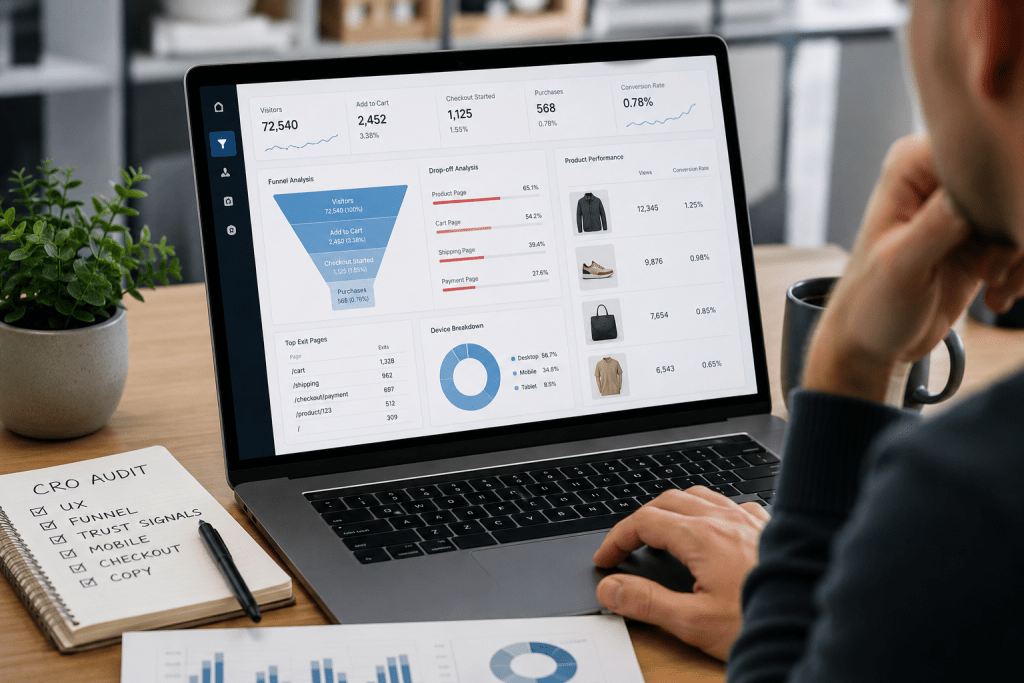

A surprising number of ecommerce stores don’t have a traffic problem.
They have a conversion problem.
I’ve worked with businesses that attracted thousands of visitors every month through SEO, paid ads, social media, and email campaigns. Traffic looked healthy. Marketing reports looked promising. Yet sales remained frustratingly low.
One online retailer was receiving nearly 40,000 monthly visitors. Their products were competitively priced. Their advertising campaigns were generating clicks. Despite that, their conversion rate struggled to stay above 0.8%.
The issue wasn’t visibility.
The issue was what happened after visitors arrived.
Every ecommerce website develops friction over time. Buttons become harder to notice. Product pages stop answering customer questions. Checkout flows get cluttered. Mobile experiences become inconsistent. Trust signals disappear into the background.
Customers don’t usually tell you what’s wrong.
They simply leave.
That’s exactly where an ecommerce CRO audit becomes valuable.
Rather than guessing why visitors abandon your website, a conversion audit reveals where users get stuck, what causes hesitation, and which elements are quietly reducing sales.
In this guide, I’ll walk through the most common reasons visitors don’t buy, how a modern ecommerce CRO audit uncovers hidden revenue leaks, and the practical improvements that can increase conversion rates without spending more on traffic acquisition.
What Is CRO Audit?
A CRO audit, short for Conversion Rate Optimization audit, is a structured evaluation of an ecommerce website to identify obstacles preventing visitors from becoming customers.
The goal is simple:
Find out why people visit but don’t buy.
A proper ecommerce CRO audit examines:
| Audit Area | Purpose |
| User Behavior | Understand visitor actions and intentions |
| Conversion Funnel | Identify drop-off points |
| Product Pages | Evaluate persuasion and clarity |
| UX Design | Detect usability problems |
| Mobile Experience | Improve smartphone shopping journeys |
| Checkout Flow | Reduce abandonment |
| Trust Signals | Increase buyer confidence |
| Analytics Data | Validate decisions with evidence |
Many store owners immediately assume low sales mean:
- Product pricing is wrong
- Advertising isn’t working
- Competition is stronger
- SEO traffic quality is poor
Sometimes that’s true.
More often, customers are willing to buy but encounter friction before completing the purchase.
Even a small improvement can create a significant impact.
For example:
- Increasing conversion rate from 1% to 2%
- Without increasing traffic
- Effectively doubles revenue potential
That’s why successful ecommerce brands regularly perform conversion audits rather than relying on assumptions.
Why Ecommerce CRO Matters More in 2026

Online shoppers have become remarkably impatient.
A few years ago, customers tolerated slower websites and imperfect experiences.
Today?
Not so much.
Consumers compare your store against industry leaders every day. They expect:
- Fast loading pages
- Mobile-first experiences
- Clear navigation
- Transparent pricing
- Easy checkout
- Strong trust indicators
The moment confusion appears, they leave.
Research consistently shows that even small usability barriers can negatively impact conversions.
A customer doesn’t need a major reason to abandon a purchase.
Sometimes all it takes is:
- A hidden shipping fee
- A confusing size chart
- A slow-loading product image
- An unexpected checkout step
A comprehensive conversion audit helps identify these problems before they cost significant revenue.
Signs You Need an Ecommerce CRO Audit
Many business owners wait until sales decline.
That’s usually too late.
I recommend performing a CRO review whenever you notice any of the following:
High Traffic but Low Sales
Visitors arrive.
Products receive views.
Purchases don’t happen.
This often indicates funnel friction rather than traffic quality issues.
Increasing Cart Abandonment
Customers add products to their cart but leave before completing payment.
Something is creating hesitation.
High Bounce Rate on Key Pages
Visitors land on important pages and leave quickly.
The page may not be matching expectations or delivering enough value.
Mobile Conversion Rate Is Much Lower
Mobile traffic often represents more than half of ecommerce visitors.
If desktop converts significantly better than mobile, user experience problems may exist.
Advertising Costs Keep Rising
Many businesses respond to low conversions by increasing ad spend.
A CRO audit can often produce better ROI than spending more money on acquisition.
Visitor Behavior Analysis
One of the biggest mistakes I see businesses make is focusing exclusively on what they think users do.
Instead, they should study what users actually do.
That’s where visitor behavior analysis becomes essential.
Data tells a story.
A surprisingly honest one.
When visitors interact with your website, they leave behind clues that reveal:
- What captures attention
- What creates confusion
- What gets ignored
- What causes exits
- What drives purchases
The challenge is knowing where to look.
Understanding the Customer Journey
Imagine entering a physical retail store.
You walk through the entrance.
You browse shelves.
You examine products.
You ask questions.
You move toward checkout.
The online shopping journey follows the same pattern.
A typical ecommerce funnel looks like this:
Homepage → Category Page → Product Page → Cart → Checkout → Purchase
A CRO audit analyzes every step.
The goal is identifying where visitors disappear.
For example:
| Funnel Stage | Potential Problem |
| Homepage | Unclear messaging |
| Category Page | Poor filtering |
| Product Page | Missing information |
| Cart | Unexpected costs |
| Checkout | Excessive complexity |
A small leak at each stage can create a large revenue loss overall.
Heatmap Analysis Reveals Hidden Problems
One of my favorite tools during a conversion audit is heatmap analysis.
Heatmaps visually show where users:
- Click
- Scroll
- Hover
- Engage
The findings are often surprising.
I’ve seen stores where:
- Important buttons received almost no clicks
- Visitors clicked non-clickable elements
- Product descriptions were rarely viewed
- Key trust badges were ignored
Designers often assume users interact with pages logically.
Real behavior tells a different story.
Heatmaps remove guesswork.
They reveal what customers actually pay attention to.
Scroll Depth Insights
Many ecommerce stores place important content too far down the page.
Customers never see it.
During an ecommerce CRO audit, scroll-depth reports help determine:
- How far visitors scroll
- Where engagement drops
- Which content sections get ignored
A common example:
A store places shipping information, return policies, and guarantees near the bottom of the page.
Only 30% of visitors reach that section.
As a result, important trust-building content remains invisible.
Session Recordings Expose Frustration
Watching session recordings can feel like observing customers through a one-way mirror.
You quickly notice patterns such as:
- Repeated clicks
- Cursor hesitation
- Navigation confusion
- Form abandonment
- Mobile usability issues
Sometimes users struggle with problems that seem obvious only after watching them interact.
One ecommerce client discovered that customers repeatedly tapped a product image expecting zoom functionality.
The feature didn’t exist.
Adding image zoom improved engagement almost immediately.
Small changes often create disproportionate results.
Why Users Leave Without Buying
When business owners ask:
“Why do users leave my site?”
Or
“Why is my website not converting?”
The answer is rarely a single issue.
Usually it’s a collection of small obstacles.
Visitors commonly leave because:
- They don’t trust the store
- Product information feels incomplete
- Pricing lacks transparency
- Website speed is poor
- Checkout feels complicated
- Mobile experience is frustrating
- Value proposition isn’t clear
The purpose of visitor behavior analysis is identifying which of these factors is affecting your store specifically.
Because what hurts one ecommerce business may not affect another at all.
Data beats assumptions every time.
UX Issues Ecommerce Stores Commonly Overlook & Product Page Issues That Quietly Kill Conversions

Most ecommerce businesses focus heavily on traffic generation.
They invest in SEO.
They run paid campaigns.
They build social media audiences.
Then they wonder why revenue isn’t growing at the same pace.
In many cases, the real problem isn’t acquisition.
It’s usability.
I’ve seen stores lose thousands of dollars every month because visitors couldn’t find basic information, navigate categories efficiently, or understand product benefits quickly enough.
Customers rarely complain.
They simply leave.
That’s why UX evaluation is one of the most important parts of an ecommerce CRO audit.
UX Issues Ecommerce Stores Commonly Overlook
User experience directly affects purchasing decisions.
If shopping feels difficult, confusing, or slow, conversion rates suffer.
Customers expect convenience.
Anything that creates effort creates resistance.
Imagine walking into a supermarket where aisle signs are missing.
You’d probably leave.
The same thing happens online.
When visitors struggle to locate products, they often abandon the session completely.
Common navigation issues include:
- Overcrowded menus
- Confusing category structures
- Missing product filters
- Poor search functionality
- Too many menu layers
A visitor should understand where to go within seconds.
If they have to think too much, friction begins.
Quick Fix
Review your navigation from a first-time visitor’s perspective.
Ask:
- Can users find products in three clicks or less?
- Are categories named clearly?
- Does search return relevant results?
Simplifying navigation often produces immediate improvements.
Mobile User Experience Problems
Mobile traffic now dominates most ecommerce websites.
Yet many stores still design primarily for desktop users.
This creates a serious conversion gap.
During audits, I frequently encounter:
- Tiny buttons
- Difficult-to-read text
- Overlapping elements
- Broken mobile layouts
- Slow mobile loading times
A website might look perfect on a desktop monitor while frustrating mobile users.
That’s a costly mistake.
What Mobile Shoppers Expect
They want:
- Fast page loads
- Large touch-friendly buttons
- Simple navigation
- Easy checkout
- Quick access to product information
Every additional tap increases abandonment risk.
Slow Website Speed Damages Conversion Rates
Speed isn’t just an SEO factor.
It’s a revenue factor.
Visitors don’t consciously think:
“This website is slow.”
They simply lose patience.
Then they leave.
Common causes include:
- Oversized images
- Excessive scripts
- Unoptimized apps
- Poor hosting infrastructure
- Unnecessary animations
Even a beautiful website becomes ineffective if pages take too long to load.
CRO Perspective
Every second matters because speed affects:
- Bounce rate
- Product engagement
- Cart additions
- Checkout completion
- Customer trust
Fast websites feel more professional.
Professional websites convert better.
Weak Visual Hierarchy
A surprising number of ecommerce pages try to emphasize everything.
The result?
Nothing stands out.
Visitors should instantly recognize:
- Product name
- Product value
- Price
- Primary CTA
- Key benefits
When multiple elements compete for attention, decision-making becomes harder.
Customers become overwhelmed.
Conversion rates decline.
Example
A product page featuring:
- Three promotional banners
- Multiple popups
- Several discount messages
- Competing buttons
creates more confusion than persuasion.
Clear pages usually outperform cluttered pages.
Search Functionality Often Gets Ignored
Visitors using search are frequently high-intent shoppers.
They already know what they’re looking for.
If search performs poorly, you’re losing some of your most valuable visitors.
Audit questions include:
- Does search tolerate spelling mistakes?
- Are product suggestions relevant?
- Can users filter results easily?
- Are out-of-stock products handled correctly?
Strong search functionality can significantly improve conversions for large catalogs.
UX Issues Ecommerce Brands Should Prioritize First
If resources are limited, start here:
| Priority | UX Improvement |
| High | Mobile optimization |
| High | Site speed improvements |
| High | Navigation simplification |
| Medium | Better search functionality |
| Medium | Improved category filters |
| Medium | Cleaner visual hierarchy |
| Low | Cosmetic design updates |
Many businesses redesign entire websites when they only needed to remove a few usability obstacles.
An effective conversion audit helps identify the highest-impact opportunities first.
Product Page Issues That Quietly Kill Conversions
Most buying decisions happen on the product page.
This is where visitors decide whether to trust your offer.
This is where objections appear.
This is where purchases are won or lost.
Yet product pages remain one of the most neglected areas of ecommerce optimization.
Product Descriptions That Don’t Sell
One of the most common problems I encounter is generic product copy.
Many descriptions simply list specifications.
Customers don’t buy specifications.
They buy outcomes.
Weak Example
“Made from premium cotton. Available in multiple sizes.”
Better Example
“Designed for all-day comfort with breathable cotton fabric that stays soft after repeated washing.”
The second version connects features to benefits.
Benefits drive action.
Specifications support decisions.
Both matter.
Missing Customer Questions
A strong product page answers questions before they’re asked.
Every unanswered question creates hesitation.
Common concerns include:
- How large is it?
- Will it fit?
- How durable is it?
- How quickly will it arrive?
- What’s included?
- Can it be returned?
If customers need to leave your page to find answers, conversion risk increases.
Low-Quality Product Images
Online shoppers cannot touch products.
Images become their substitute for physical interaction.
Poor visuals instantly reduce confidence.
Common image problems:
- Low resolution
- Limited angles
- Inconsistent backgrounds
- No zoom functionality
- Missing lifestyle imagery
Customers want context.
They want to see products in use.
They want details.
Every image should help answer a buying question.
Lack of Video Content
Video continues to improve product understanding.
Even short demonstrations can help customers evaluate:
- Size
- Functionality
- Features
- Appearance
- Ease of use
Videos often reduce uncertainty.
Reduced uncertainty typically increases conversions.
Weak Call-to-Action Buttons
Many stores unintentionally hide their most important conversion element.
The Add to Cart button should be:
- Easy to find
- Visually prominent
- Mobile friendly
- Accessible throughout the buying process
A weak CTA creates hesitation.
A strong CTA guides action.
Audit Questions
Ask yourself:
- Is the button immediately visible?
- Does it stand out from surrounding elements?
- Is it easy to tap on mobile?
- Does it remain visible while scrolling?
Small CTA improvements can generate surprisingly large gains.
Poor Product Page Structure
Visitors scan before they read.
If information is difficult to find, engagement drops.
An effective structure often includes:
- Product title
- Product images
- Pricing
- Key benefits
- Add to Cart button
- Product details
- Reviews
- FAQs
- Shipping information
Customers should never need to hunt for important information.
Missing Social Proof
People trust other customers.
That’s simply human nature.
Social proof helps reduce perceived risk.
Effective examples include:
- Customer reviews
- Ratings
- User-generated photos
- Testimonials
- Verified buyer badges
When visitors see others successfully purchasing a product, confidence increases.
Confidence drives conversions.
Product Page CRO Quick Wins
If I had only one day to improve a product page, I would focus on:
✅ Stronger product images
✅ Benefit-focused copy
✅ Better CTA visibility
✅ Customer reviews
✅ Shipping information visibility
✅ Mobile usability improvements
✅ Product FAQs
These changes often deliver measurable improvements without requiring a full redesign.
Trust Issues & Checkout Problems That Cause Customers to Leave
You can have:
- Great traffic
- Strong product pages
- Competitive pricing
- Effective marketing
And still lose sales.
Why?
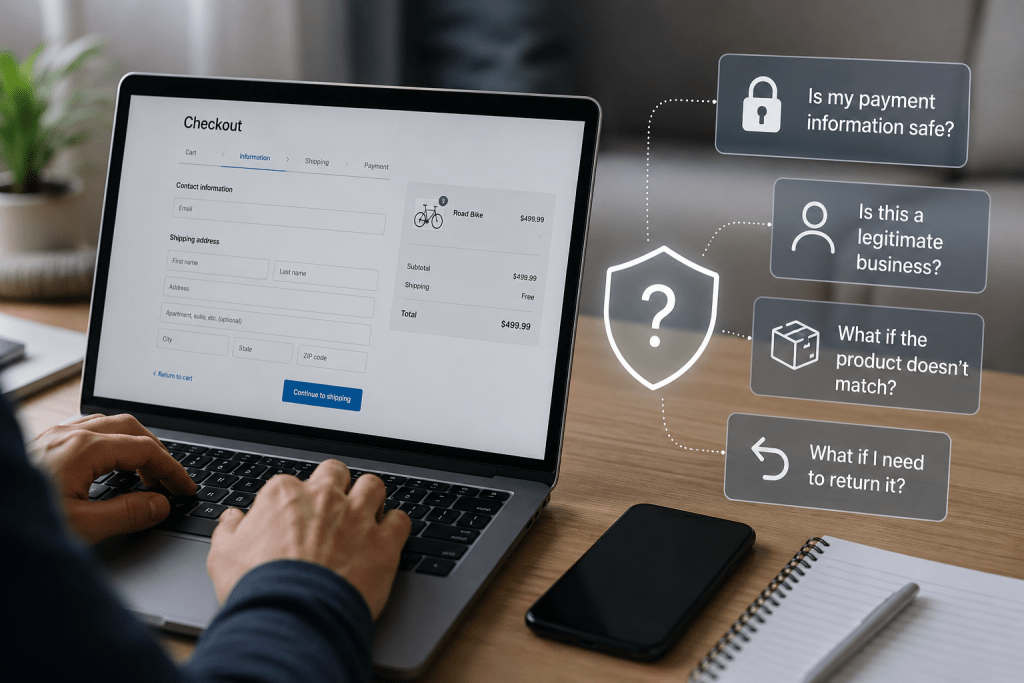
Because buying online is ultimately an exercise in trust.
Every visitor is asking themselves a simple question:
“Can I trust this website with my money?”
If the answer isn’t immediately clear, hesitation appears.
Hesitation becomes abandonment.
This is one of the most overlooked findings during an ecommerce CRO audit.
Businesses often focus on design improvements while ignoring trust-building elements that directly influence buying decisions.
Trust Issues That Prevent Conversions
Trust isn’t built by a single badge or logo.
It’s created through dozens of small signals working together.
When those signals are missing, visitors become cautious.
And cautious visitors rarely convert.
Lack of Customer Reviews
Reviews remain one of the strongest trust signals in ecommerce.
People naturally seek validation before making a purchase.
They want reassurance that:
- The product works
- The quality matches expectations
- Delivery is reliable
- Other customers had positive experiences
When products have no reviews, uncertainty increases.
Even a few authentic reviews often outperform pages with none at all.
Audit Check
Review:
- Number of reviews
- Quality of reviews
- Presence of photos
- Verified buyer indicators
- Review visibility
If visitors must search for reviews, they’re less effective.
Missing Business Information
One common problem I see is websites that feel anonymous.
Visitors should easily find:
- Company information
- Contact details
- Customer support options
- Physical location (if applicable)
- Return policies
When these details are difficult to locate, trust decreases.
Customers start wondering:
- Is this company legitimate?
- Will someone help if there’s a problem?
- What happens if I need a refund?
Those doubts often kill conversions.
Weak Return and Refund Policies
Most customers never return products.
But they still want to know they can.
A clear return policy reduces perceived risk.
Hidden or confusing policies create uncertainty.
During a conversion audit, I always check:
- Policy visibility
- Clarity of language
- Ease of understanding
- Mobile accessibility
If customers can’t quickly understand return terms, they’re more likely to postpone purchasing.
No Security Reassurance
Online shoppers are increasingly aware of cybersecurity risks.
Trust indicators help reassure visitors that transactions are secure.
Examples include:
- SSL certificates
- Secure payment logos
- Trusted payment providers
- Privacy statements
The goal isn’t to overwhelm visitors with badges.
The goal is to reduce anxiety.
Subtle reassurance often works better than excessive promotion.
Inconsistent Branding
Trust grows when a website feels professional and consistent.
Problems appear when visitors encounter:
- Different design styles
- Low-quality graphics
- Outdated pages
- Broken elements
- Inconsistent messaging
These issues may seem minor.
Customers often interpret them as warning signs.
Consistency communicates professionalism.
Professionalism builds trust.
Missing Social Proof Beyond Reviews
Reviews matter.
But they’re not the only form of social proof.
Strong ecommerce stores often showcase:
- Customer success stories
- User-generated content
- Community engagement
- Industry recognition
- Media mentions
- Partner relationships
Each element helps reduce perceived purchase risk.
Trust is cumulative.
Every positive signal helps.
Checkout Problems That Cause Funnel Drop-Off
Many businesses spend months optimizing product pages.
Then lose customers during checkout.
This is one of the most expensive mistakes in ecommerce.
At this stage, customers have already decided they want the product.
Your job is simple:
Don’t make purchasing difficult.
Yet many stores accidentally do exactly that.
Complex Checkout Processes
Every additional step creates friction.
Customers want simplicity.
Unfortunately, some checkout flows require:
- Multiple pages
- Excessive form fields
- Unnecessary account creation
- Repeated information entry
Each extra action increases abandonment risk.
Audit Question
Could a customer complete checkout faster?
If the answer is yes, there’s likely room for optimization.
Forced Account Creation
This remains one of the biggest conversion killers.
Many customers don’t want another username and password.
They want to buy the product and move on.
Offering guest checkout often removes a major barrier.
The option to create an account can remain available after purchase.
The purchase itself should be easy.
Unexpected Costs
Few things destroy conversion momentum faster than surprise fees.
A customer sees:
$49 product price.
Then reaches checkout.
Suddenly:
- Shipping fee
- Service fee
- Tax surprise
- Handling charge
The final total looks very different.
Trust immediately declines.
CRO Recommendation
Display pricing transparency as early as possible.
Unexpected costs are a major cause of funnel drop-off.
Limited Payment Options
Different customers prefer different payment methods.
Restricting payment choices can eliminate potential sales.
Depending on your market, consider supporting:
- Credit cards
- Debit cards
- Digital wallets
- Buy-now-pay-later solutions
- Local payment methods
The goal is convenience.
Convenience drives completion rates.
Poor Mobile Checkout Experience
Many stores optimize desktop checkout while neglecting mobile users.
This creates unnecessary friction.
Common mobile checkout issues include:
- Tiny form fields
- Difficult keyboards
- Poor spacing
- Slow page loads
- Hard-to-click buttons
A checkout process that feels easy on desktop can become frustrating on a smartphone.
Given today’s mobile shopping behavior, that’s a costly oversight.
Lack of Progress Indicators
Customers like knowing where they are in the process.
Without guidance, checkout feels longer.
Simple progress indicators help users understand:
- Current step
- Remaining steps
- Overall completion status
Reducing uncertainty often improves completion rates.
Checkout Error Handling
Nothing frustrates shoppers faster than vague error messages.
Examples include:
❌ Invalid information
What information?
Where?
Why?
Instead, errors should be specific and actionable.
For example:
✅ Please enter a valid ZIP code.
Small usability improvements create smoother experiences and fewer abandoned purchases.
Common Funnel Drop-Off Warning Signs
Your analytics may already be showing checkout problems.
Watch for:
| Metric | Potential Concern |
| High Cart Abandonment | Checkout friction |
| High Checkout Exit Rate | Trust or usability issues |
| Mobile Checkout Drop-Off | Mobile UX problems |
| Payment Failure Rates | Technical issues |
| Low Returning Customer Rate | Satisfaction concerns |
These metrics often reveal opportunities hidden beneath overall revenue numbers.
Trust + Checkout = Revenue Growth
Many ecommerce businesses focus exclusively on acquiring new visitors.
That’s important.
But conversion growth often comes from fixing what happens after visitors arrive.
A trustworthy shopping experience combined with a frictionless checkout process can dramatically improve performance without increasing traffic.
In many cases, the fastest path to more revenue isn’t attracting more visitors.
It’s helping existing visitors complete purchases more confidently.
While trust and checkout improvements increase conversions, attracting the right visitors remains equally important. A strong Ecommerce SEO strategy ensures your store brings in high-intent shoppers who are already looking for the products and solutions you offer.
Analytics Review & Ecommerce CRO Audit Checklist

Many ecommerce businesses rely on assumptions.
They assume customers don’t like the pricing.
They assume competitors are winning.
They assume advertising traffic is poor.
The problem?
Assumptions rarely tell the full story.
Data does.
One of the most valuable parts of an ecommerce CRO audit is the analytics review. It transforms opinions into evidence and helps identify exactly where revenue opportunities exist.
Without analytics, optimization becomes guesswork.
With analytics, decisions become measurable.
Analytics Review: What the Data Is Really Telling You
A conversion rate doesn’t explain why people buy or leave.
It only tells you the outcome.
To understand what’s happening, you need to examine the entire customer journey.
That’s where analytics becomes essential.
Start With Conversion Rate Trends
The first metric I review is conversion rate performance over time.
Not just current performance.
Trends matter more.
Questions worth asking:
- Is conversion rate increasing or declining?
- Did performance change after a website update?
- Is mobile conversion improving?
- Are seasonal patterns affecting sales?
A single month’s data can be misleading.
Long-term trends usually reveal the bigger story.
Analyze Traffic Quality Before Blaming Conversions
Sometimes the website isn’t the problem.
Traffic quality is.
For example:
| Traffic Source | Typical Intent |
| Organic Search | High |
| Email Marketing | Very High |
| Direct Traffic | High |
| Social Media | Medium |
| Display Ads | Low to Medium |
If a large percentage of visitors arrive without purchase intent, conversion rates may naturally appear lower.
This is why conversion data must always be evaluated alongside acquisition data.
Review Funnel Drop-Off Data
One of the most revealing parts of a conversion audit is funnel analysis.
A typical ecommerce funnel looks like this:
Homepage → Category Page → Product Page → Cart → Checkout → Purchase
Analytics helps answer:
- Where are visitors leaving?
- Which step loses the most users?
- Is there a consistent pattern?
Example
Imagine:
- 10,000 visitors reach product pages
- 3,000 add products to cart
- 1,500 begin checkout
- Only 400 complete purchases
The largest issue likely exists between checkout initiation and purchase completion.
Without funnel analysis, that insight would remain hidden.
Device Performance Analysis
Many businesses evaluate overall conversion rates.
I prefer breaking performance into segments.
One of the most important segments is device type.
Review:
- Desktop conversion rate
- Mobile conversion rate
- Tablet conversion rate
If desktop converts at 3% and mobile converts at 0.8%, there’s likely a usability problem.
This is one of the fastest ways to uncover hidden UX issues ecommerce businesses often miss.
Landing Page Performance
Not every page contributes equally to revenue.
Some pages attract visitors but fail to move them forward.
Others quietly drive conversions.
Review:
High-Traffic Pages
Look for:
- High bounce rates
- Low engagement
- Weak click-through rates
High-Converting Pages
Identify:
- Successful layouts
- Effective messaging
- Strong calls-to-action
Often, your best-performing pages contain clues that can improve weaker pages.
Heatmap Analysis Supports Analytics Findings
Numbers tell you what happened.
Heatmap analysis often explains why it happened.
For example:
Analytics might show:
- High exit rate
- Low CTA clicks
Heatmaps may reveal:
- Users never see the CTA
- Visitors stop scrolling early
- Important content is being ignored
Combining analytics and behavioral insights creates a much clearer picture.
Search Behavior Analysis
Site search data is frequently overlooked.
That’s a mistake.
Visitors who use search often have strong buying intent.
Review:
- Most searched products
- No-result searches
- Search abandonment
- Search-to-purchase paths
Search behavior can reveal:
- Missing products
- Navigation weaknesses
- Content gaps
- Customer demand trends
These insights often extend beyond CRO and influence merchandising decisions.
Segment New vs Returning Visitors
Returning visitors usually behave differently than first-time users.
Comparing these audiences can reveal trust and experience issues.
Questions to evaluate:
- Are returning visitors converting significantly better?
- Do new visitors leave quickly?
- Is trust-building content effective?
If returning users convert well but new visitors struggle, trust issues may be limiting growth.
Metrics Every Ecommerce CRO Audit Should Review
At minimum, every audit should evaluate:
| Metric | Why It Matters |
| Conversion Rate | Measures overall effectiveness |
| Bounce Rate | Indicates engagement issues |
| Exit Rate | Identifies problematic pages |
| Cart Abandonment | Reveals checkout friction |
| Checkout Completion Rate | Measures funnel efficiency |
| Revenue Per Visitor | Evaluates visitor value |
| Mobile Conversion Rate | Detects mobile UX problems |
| Average Order Value | Shows revenue opportunities |
| Returning Customer Rate | Indicates customer satisfaction |
Together, these metrics create a much clearer picture than conversion rate alone.
Ecommerce CRO Audit Checklist (2026 Edition)
If I were conducting a complete ecommerce CRO audit today, this is the checklist I’d use.
You can apply this framework to almost any ecommerce website.
Homepage Audit
Check:
✅ Clear value proposition
✅ Strong headline
✅ Mobile responsiveness
✅ Fast loading speed
✅ Easy navigation
✅ Visible search functionality
✅ Trust indicators
✅ Promotional clarity
Category Page Audit
Check:
✅ Logical product organization
✅ Useful filters
✅ Sorting options
✅ Product visibility
✅ Mobile usability
✅ Internal search support
✅ Consistent imagery
Product Page Audit
Check:
✅ High-quality product images
✅ Zoom functionality
✅ Product videos
✅ Benefit-focused descriptions
✅ Clear pricing
✅ Prominent CTA
✅ Customer reviews
✅ Product FAQs
✅ Shipping information
✅ Return policy visibility
Trust Review
Check:
✅ Contact information
✅ About Us page
✅ Refund policy
✅ Privacy policy
✅ Secure checkout indicators
✅ Customer testimonials
✅ User-generated content
✅ Social proof
Checkout Audit
Check:
✅ Guest checkout
✅ Mobile optimization
✅ Minimal form fields
✅ Multiple payment options
✅ Transparent costs
✅ Progress indicators
✅ Error validation
✅ Cart editing functionality
Analytics Audit
Check:
✅ Funnel tracking
✅ Conversion tracking
✅ Device segmentation
✅ Source segmentation
✅ Search analytics
✅ Cart abandonment tracking
✅ Heatmap analysis
✅ Session recordings
Technical Performance Audit
Check:
✅ Core Web Vitals performance
✅ Mobile speed
✅ Image optimization
✅ Script optimization
✅ Broken link review
✅ Technical error monitoring
Prioritize Findings Correctly
One mistake I see repeatedly is treating every issue equally.
Not all problems deserve immediate attention.
I typically prioritize:
High Impact + Easy Fix
Implement immediately.
Examples:
- CTA improvements
- Checkout simplification
- Shipping transparency
High Impact + Complex Fix
Plan strategically.
Examples:
- Mobile redesign
- Navigation restructuring
- Site architecture improvements
Low Impact Improvements
Schedule later.
Examples:
- Minor visual enhancements
- Cosmetic design updates
The goal is revenue growth, not endless optimization tasks.
What a Successful Ecommerce CRO Audit Should Deliver
A proper audit shouldn’t end with a list of problems.
It should provide:
- Clear priorities
- Actionable recommendations
- Expected business impact
- Data-backed insights
- Revenue opportunities
The best audits create a roadmap.
Not a report that sits unread in a folder.
Key Takeaway
If you’re asking:
“Why is my website not converting?”
The answer is rarely one major issue.
It’s usually a collection of small conversion barriers spread across:
- User experience
- Product pages
- Trust signals
- Checkout flow
- Analytics gaps
A structured ecommerce CRO audit helps uncover those barriers and prioritize the fixes that can produce measurable revenue growth.
Conclusion
Most ecommerce websites don’t fail because they lack traffic.
They fail because too many visitors leave before completing a purchase.
According to research from the Baymard Institute, the average documented cart abandonment rate remains close to 70%, highlighting a reality many ecommerce businesses face every day: attracting visitors is only half the challenge. Converting them is where growth happens.
Throughout this ecommerce CRO audit guide, we’ve explored the most common reasons visitors abandon websites, including:
- Poor user experience
- Navigation and usability issues
- Weak product pages
- Missing trust signals
- Checkout friction
- Funnel drop-off points
- Analytics blind spots
What makes conversion optimization so powerful is that it focuses on improving results from traffic you already have.
You don’t necessarily need a larger advertising budget.
You don’t always need more website visitors.
In many cases, increasing conversion rates comes from identifying friction, reducing uncertainty, and creating a smoother buying experience.
I’ve seen ecommerce businesses spend months chasing more traffic while overlooking the opportunities sitting directly in front of them. A hidden checkout issue, a confusing product page, or an underperforming mobile experience can quietly reduce revenue for years if left unresolved.
That’s why a structured conversion audit is one of the highest-value exercises an ecommerce business can undertake.
Instead of relying on assumptions, it provides clarity.
Instead of guessing, it reveals evidence.
And instead of making random website changes, it helps prioritize improvements that can create measurable business impact.
Expert Insight
After reviewing ecommerce websites across multiple industries, I’ve found that conversion problems rarely stem from a single issue. More often, revenue is lost through a series of small friction points spread across the customer journey. A slightly confusing navigation menu, an unclear shipping policy, a weak product page, and a cumbersome checkout process may each seem insignificant on their own. Together, they can dramatically reduce conversion rates.
The most successful ecommerce brands don’t treat CRO as a one-time project.
They treat it as an ongoing process of learning from customer behavior, testing improvements, and continuously refining the shopping experience.
That mindset often separates growing stores from stagnant ones.
Request a CRO Audit
Your ecommerce website may be losing potential sales because of hidden usability issues, product page weaknesses, trust gaps, checkout friction, or funnel inefficiencies that are difficult to spot without a structured review.
At Webiators, we help ecommerce businesses uncover conversion barriers through data-driven analysis, visitor behavior insights, funnel evaluation, heatmap analysis, and practical optimization strategies designed to improve revenue performance.
Whether you’re struggling with low conversion rates, increasing cart abandonment, poor mobile performance, or unexplained funnel drop-off, our team can help identify the root causes and prioritize the fixes that matter most.
Request a CRO service today and discover where your customer journey can be improved to convert more visitors into paying customers.
FAQs
What is conversion rate benchmark?
A conversion rate benchmark is a reference point used to evaluate how effectively an ecommerce website turns visitors into customers. While benchmarks vary by industry and traffic source, many online stores typically achieve conversion rates between 1% and 3%. Rather than focusing solely on industry averages, businesses should track their own performance and aim for continuous improvement over time.
How does UX affect sales?
User experience has a direct impact on conversions. If visitors encounter slow-loading pages, confusing navigation, poor mobile usability, or a complicated checkout process, they are more likely to leave without purchasing. A smooth and intuitive experience helps increase customer confidence and sales.
What tools help CRO?
Popular CRO tools include Google Analytics 4, Microsoft Clarity, Hotjar, Crazy Egg, VWO, and Optimizely. These platforms help businesses understand visitor behavior, identify funnel drop-off points, and uncover opportunities to improve conversion rates.
How often should a CRO audit be done?
Most ecommerce businesses should perform a CRO audit every 6 to 12 months. It’s also a good idea to conduct an audit after a website redesign, a major marketing campaign, significant traffic growth, or whenever conversion rates begin to decline.
How to increase conversion rate?
To increase conversion rate, focus on removing friction from the customer journey. This includes improving website usability, optimizing product pages, adding trust signals such as reviews and guarantees, simplifying checkout, and ensuring a seamless mobile experience. An ecommerce CRO audit helps identify the specific barriers preventing visitors from becoming customers and provides a roadmap for improving conversions.
