
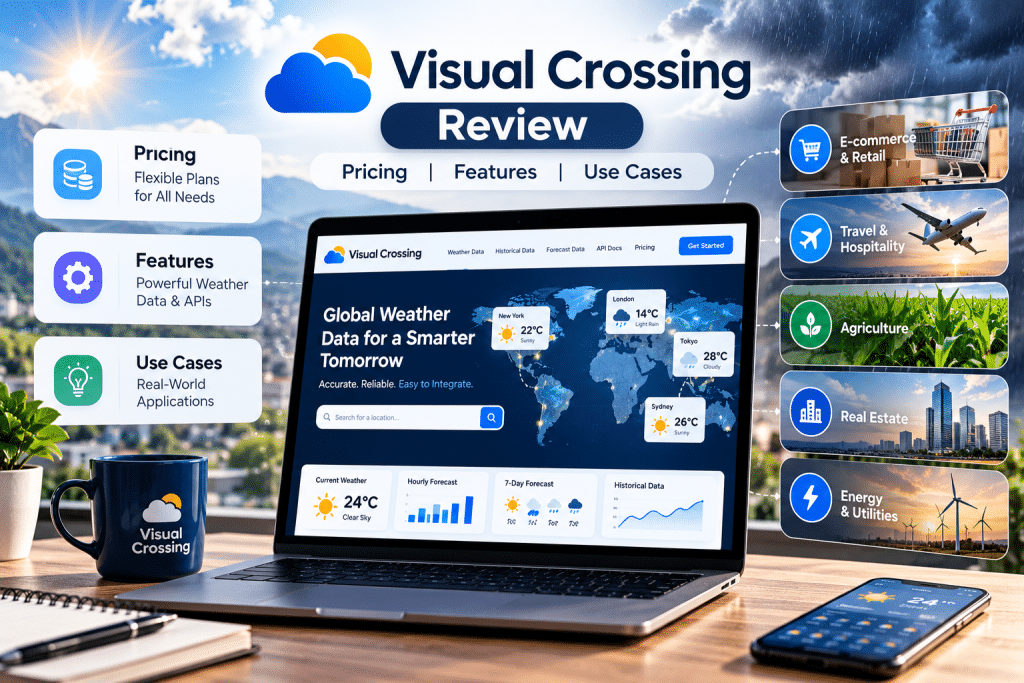

Weather can affect customer behavior, demand, deliveries, staffing, planning, and plenty of everyday business decisions. When conditions differ from one place to another, reliable historical records, current observations, and forecasts give businesses the context they need to understand what happened and prepare for what may happen next.
Visual Crossing brings that weather information together in one service for developers, analysts, researchers, and businesses. It combines API access with downloadable data and browser-based tools, so people can work with weather information in the way that suits the job.
What Is Visual Crossing?
Visual Crossing is a weather data provider for applications, analysis, research, and operational planning. Its main product is the Timeline Weather API, which handles historical data, current conditions, and forecasts through one primary API.
For organizations that need several kinds of weather information in one place, Visual Crossing offers programmatic access alongside browser-based tools for exploring and downloading data. Using the same core API across different time periods can simplify development compared with maintaining separate services for historical observations and forecasts.
Location searches are flexible. Requests can use an address, city, postal code, latitude and longitude, or a supported location identifier. Users can also choose dates, units, weather elements, and the amount of detail returned.
That setup gives both technical and non-technical users a practical way into the service. Developers can add weather data to software and automated workflows, while analysts can pull datasets for reporting, research, and planning.
Key Features of Visual Crossing
Visual Crossing’s main appeal is the amount of weather information available through a single service. The Timeline Weather API includes historical observations, current conditions, forecasts, statistical data, weather alerts where supported, and astronomical details such as sunrise, sunset, and moon phase.
Historical coverage is broad. Visual Crossing lists daily and hourly history from January 1970 for its core worldwide datasets, although individual measurements can vary by place and date. That gives analysts decades of material for comparisons, modeling, research, and retrospective business analysis.
Forecasts extend up to 15 days and can include daily or hourly detail. Current conditions can sit alongside forecast or historical results, which keeps the response structure familiar when an application needs data from more than one time period.
There are more than 100 available weather elements across the wider data catalog. Along with temperature, precipitation, humidity, wind, and visibility, Visual Crossing offers additional data for solar energy, agriculture, air quality, and severe weather. Some of those elements have their own date ranges, geographic limits, or plan requirements, so availability should be checked for the exact project.
The Weather Data Query Builder is useful for people who want to inspect a request before writing code. Users can choose a location, date range, units, weather elements, and output format in the browser, then generate the corresponding API request.
Data can be returned in JSON or CSV. That makes it straightforward to move results into an application, spreadsheet, database, or analysis workflow without an extra conversion step.
Visual Crossing Pricing and Plans
For its core historical and forecast service, Visual Crossing offers a free tier, a Professional subscription, metered billing, a Corporate plan, and custom Enterprise pricing. The pricing model gives small projects a low-cost starting point while leaving room for much larger workloads.
The free tier includes up to 1,000 records per day. That is enough to test the API, build a prototype, or run a modest research project before committing to a paid plan.
Professional costs $35 per month and includes 10 million records each month. It is intended for individual users working on planning, data science, personal projects, and prototyping.
The Metered option costs $0.0001 per record and has no fixed monthly subscription. It can make sense for periodic or uneven usage because charges follow the number of records consumed rather than a monthly allowance.
Corporate costs $150 per month and includes unlimited records under fair-use terms, team concurrency, up to 10 named users and API keys, email support, and specialized data for energy, agriculture, maritime work, and degree-day calculations. Enterprise pricing is available on request and adds custom capacity, support, service-level agreements, invoicing, and commercial terms.
Record counting deserves attention because different requests consume usage differently. A standard forecast request for one location counts as one record even though it includes multiple forecast days, while historical data is generally counted by returned rows. Multiple locations and sub-hourly data can raise usage quickly.
Licensing is another detail to check. Visual Crossing currently requires attribution on the Free, Professional, and Metered tiers, while Corporate and Enterprise plans do not require it. Visual Crossing also offers a separate high-concurrency, low-latency forecast product, so businesses with those requirements should review its pricing separately.
Ease of Use and API Experience
The Timeline Weather API is fairly easy to understand. Historical weather, current conditions, and forecasts use the same primary endpoint, so developers do not have to learn a separate API pattern for each time period.
Requests use standard HTTP GET calls with parameters for dates, locations, units, included data, and output format. Common date terms such as today, yesterday, and recent date ranges can also be used in queries, which is handy for recurring requests.
Location input is similarly forgiving. A request can use a city and country, full or partial address, postal code, coordinates, or a supported location identifier. That flexibility is helpful when an existing system already stores places in more than one format.
Responses can include daily summaries, hourly conditions, current observations, selected weather elements, and alerts where available. JSON works well for software integrations, while CSV is convenient for direct analysis or export.
The Query Builder makes the service easier to test before development starts. Users can set up a request visually, review the results, and copy the generated API query. Analysts can download the data directly, while developers can take the same request into code.
A technical learning curve remains as projects grow more complex, especially around record usage, plan limits, and advanced datasets. For routine requests, though, the documentation and browser tools make the first steps fairly approachable.
Business Use Cases for Visual Crossing
Weather data can add useful context to marketing, operations, planning, and analysis. Historical conditions can help explain changes in sales, demand, traffic, or operational performance, while forecasts can support decisions that depend on upcoming conditions.
Retail and ecommerce teams, for example, can compare temperature, precipitation, and seasonal conditions with purchasing patterns to spot weather-sensitive demand. Those signals can strengthen geographic segmentation by adding local conditions to what a business already knows about regional demand, product interest, and campaign timing.
The same data can support operational work. Logistics teams may look at rain, wind, temperature, or visibility when planning deliveries. Construction businesses may check forecasts when scheduling outdoor work. Energy analysts can compare temperature, wind, or solar radiation with production and consumption patterns.
Historical records also help you look back. Insurance teams, researchers, and other organizations can compare conditions at a particular place and time with claims, incidents, equipment performance, or changes in demand.
Weather does not need to be the center of every decision to be useful. In many cases, its value comes from adding one more piece of context to business data that is already being tracked.
Weather Data Coverage and Reliability
Wide coverage matters, but so does knowing what sits behind the numbers. Visual Crossing lists worldwide daily and hourly historical data from January 1970, current conditions, and forecasts, but it also warns that every weather measure is not available for every place and every date.
That distinction matters for long-range analysis. Reliable long-term weather records make it possible to identify patterns and trends across years. Consistent data collection and quality control help make those records more useful for comparing conditions over time.
Visual Crossing draws from weather stations and other observation sources, and the exact mix depends on the location, date, and requested weather element. For historical results, it can consider several nearby stations rather than automatically copying the nearest one. Distance, elevation, data availability, and observation quality can all affect the result.
That method can provide better local coverage when a single station doesn’t represent the requested location well. It also means that a business with strict requirements should test the places, dates, and measurements it plans to use before building a large workflow around them.
The broad reach is a clear advantage, but data depth can still vary by location and variable. Checking sample queries early is the safest way to confirm the available data suits the intended analysis.
Visual Crossing Pros and Considerations
Visual Crossing gets several practical things right. The Timeline API keeps historical data, current conditions, and forecasts under one core structure, which is convenient for projects that need to move between past and upcoming weather.
Access is flexible as well. Developers can call the API directly, analysts can download structured datasets, and the Query Builder gives people a browser-based way to test requests. The free allowance of 1,000 records per day also gives prospective customers enough room to see how the service behaves with their own locations and variables.
The pricing choices suit different usage patterns. A fixed monthly plan works well when demand is steady, while metered billing gives occasional users a pay-for-what-you-use option. The API also returns a queryCost value, so developers can see how many records a request consumes.
There are a few practical constraints. Large historical pulls, many locations, or sub-hourly data can use records quickly. Some specialized datasets and business features sit on higher-priced plans, and lower tiers require attribution.
Coverage should also match what a project actually needs. Worldwide availability is valuable, but a less common measurement in a remote area may have a different history from a common variable such as temperature.
None of these points is unusual for a commercial data service, but you should account for them before launch. A quick estimate of locations, time periods, resolution, variables, and monthly usage can prevent surprises later.
Who Is Visual Crossing Best For?
Visual Crossing makes the most sense for people who need weather information inside an application, analysis, or planning process rather than a simple consumer forecast.
Developers can use it to add historical conditions, current weather, and forecasts to software without maintaining separate services for each category. Analysts can compare weather with sales, demand, traffic, energy use, or operational results.
This is especially relevant in industries where changing conditions have direct business consequences. Retail and ecommerce teams may study demand alongside temperature or precipitation. Logistics, construction, agriculture, energy, insurance, and travel businesses can bring weather into planning, forecasting, and retrospective analysis.
Researchers, independent developers, and smaller organizations have a free tier and browser tools for early-stage work. Businesses with heavier workloads can move to plans with larger allowances, team access, specialized datasets, and enterprise support.
The service delivers the most value when the weather-related question is clear from the start. Knowing the locations, variables, time periods, and level of detail you need makes it much easier to choose the right plan and build an efficient workflow.
The Bottom Line on Visual Crossing
Visual Crossing offers a broad set of weather data without making access unnecessarily complicated. Historical records, current conditions, forecasts, browser tools, downloads, and API access all sit within the same product family, giving both technical and business users several ways to work with the data.
Its strongest points are the depth of historical coverage, the single Timeline API, flexible pricing, and the ability to start with a small workload before moving to a larger plan. The main considerations are equally practical: check record usage, licensing terms, and the availability of any specialized measurements before committing to a large deployment.
For organizations with a clear reason to bring weather into analysis, software, or day-to-day planning, Visual Crossing offers a practical mix of accessibility, coverage, and control.
