
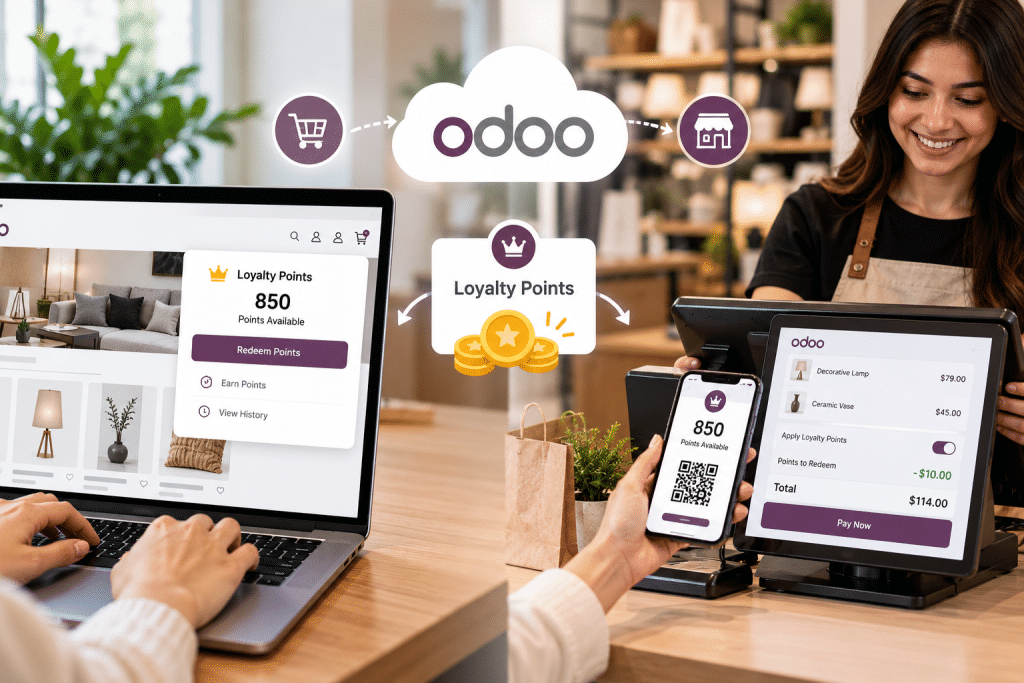

A customer buys a jacket on your website and earns 120 points. Two weeks later she’s in your shop, wants to spend them on a scarf, and your cashier can’t see a single one. The points live in a storefront app; the till has its own programme, or none at all. She leaves with the scarf, pays full price, and remembers the friction longer than the purchase.
If you run a D2C or mid-market brand with a website plus one or more physical shops or pop-ups, you’ve probably met this split. Online points sit in a Shopify app or a Magento extension, in-store points sit in the POS, and the two never agree. This guide walks through how Odoo runs a single loyalty programme across Point of Sale and eCommerce, how to set it up, what to decide before launch, and what changes if your storefront stays on another platform.
Why do online and in-store points drift apart?
Most brands didn’t design a split programme on purpose. The website came first, so loyalty was bolted on with a storefront app. Then a shop opened, and the POS vendor offered its own points module. Each tool keeps its own ledger, its own customer record and its own rules.
That gives you three predictable problems:
- Customers can’t earn in one channel and spend in the other. Every “sorry, that’s an online-only balance” at the counter undercuts the reason the programme exists.
- Balances disagree. Even with a nightly sync, a customer who checks the app at 10 a.m. and visits the shop at noon may see two different numbers.
- Returns don’t claw points back. Someone buys online, earns points, returns the item in-store, and the store refund never reaches the app that issued the points. They keep the reward for a purchase that no longer exists.
It’s what happens when the ledger lives at the edge of your stack instead of the middle. And customers have plenty of other programmes to compare you with: the 2025 Bond Loyalty Report found consumers participate in 17.4 loyalty programmes each, while coverage of the same study notes that only 48% of Americans say they’re “very satisfied” with their programmes. A balance that changes depending on where you ask doesn’t help that number.
Why does loyalty belong in the back office, not the storefront?
A loyalty point is a liability on your books and a promise to a customer. Both of those belong in the system that already knows who the customer is, what they bought in every channel, and what came back. For a brand with shops and a website, that’s the shared retail back office: the place where orders, stock, refunds and customer records already meet.
When loyalty runs there, the customer is one contact, not an app profile plus a POS profile. Points earned on a web order and points earned at the till land on the same card. A refund processed anywhere can reduce the balance, because the refund and the balance live in the same database. If you’re weighing ERP options for this, a practical overview of odoo for retail shows how POS, inventory, eCommerce and customer data sit in one system, which is the precondition for a single points ledger.
Here’s a firm opinion: the storefront should display the balance and apply rewards, but it shouldn’t own the ledger. Storefronts get replatformed every few years. Your loyalty history shouldn’t have to migrate with them.
Best for: brands where at least a meaningful share of revenue happens offline, or where customers routinely buy online and return in-store.
Watch out for: treating the back office as the source of truth means your website needs a reliable connection to it. More on that below.
How does Odoo run one programme across POS and eCommerce?
Odoo handles this through its Discount & Loyalty feature, which is shared by Sales, Point of Sale and Website rather than being a separate module per channel. According to Odoo’s official documentation on discount and loyalty programs, you can build Coupons, Loyalty Cards, Promotions, Discount Codes, Buy X Get Y offers and Next Order Coupons from the same screen. Gift cards and eWallets are managed as their own program types in the same area.
The part that matters for omnichannel retail: each programme has an Available On setting where you pick the apps it runs in. You can then narrow it to specific websites or specific POS stations, or leave those fields blank to cover all of them. One loyalty card programme, switched on for both Point of Sale and Website, means one balance per customer.
Earning rules are flexible. A loyalty card rule can grant points per order, per currency spent, or per unit paid, and can be limited by minimum quantity, minimum purchase, product, category or product tag. Rewards can be a free product, a discount (percentage, an amount per point, or an amount per order) or free shipping, each with a points cost.
Balances are visible from the back office too. A Loyalty Cards smart button appears on a contact’s form once they have a card, so your support team can answer “how many points do I have?” without opening another tool.
Setting it up, step by step
The exact menus shift slightly between Odoo versions, so check the documentation for yours. On Odoo 18 the path looks like this:
- Go to Sales ‣ Configuration ‣ Settings and, under Pricing, enable Discounts, Loyalty & Gift Card (some versions label it Promotions, Loyalty & Gift Card). Check the Point of Sale settings as well, since POS has its own toggle for these programs in some versions.
- Open Sales ‣ Products ‣ Discount & Loyalty and create a new programme with the Loyalty Cards type.
- Set Available On to include both Point of Sale and Website. Leave the website and POS fields blank unless you want to exclude a location.
- Add a conditional rule: for example, 1 point per currency unit spent, with a minimum purchase if you want one.
- Add rewards with their point cost, such as a fixed discount for 200 points.
- Run a test order at the till and one on the website for the same contact, then confirm both orders land on one card.
What if your storefront stays on Shopify, Magento or WooCommerce?
Keeping a storefront that converts well while Odoo runs the counter and warehouse is a reasonable call. It just moves the work.
Odoo’s loyalty programmes connect out of the box only to Odoo’s own Website and eCommerce app. If your shop runs on Shopify, Magento or WooCommerce, you’ll need a connector (off-the-shelf or custom) that does more than sync orders. For loyalty specifically, it has to:
- Match customers on one identity. Email is the usual key online; phone number is often what the cashier asks for. Decide which wins, and clean up duplicates before launch, or the same person ends up with two cards.
- Push orders and refunds into Odoo so points are calculated in one place.
- Read the balance back for display in the customer account and at checkout.
- Apply rewards in the storefront’s cart in a way Odoo recognises, so a redeemed reward actually deducts points.
Most order connectors handle the first two well and treat the last two as custom work. Ask the vendor specifically about loyalty before you sign anything. If they only promise “order and customer sync”, assume you’re building the redemption piece yourself.
Best for: brands with a high-performing storefront and a growing store estate.
Watch out for: sync delays. Points that take an hour to appear after an online order will generate support tickets.
Which rules should you decide before launch?
The decisions below are where most programmes go wrong, usually because nobody wrote them down.
Earn rate. Work back from what you’re willing to give away. If a 200-point reward is worth a 10-unit discount and you grant 1 point per currency unit, that’s an effective 5% return on spend.
Expiry. Unused points are a liability you carry indefinitely. Programmes can be time-bound with start and end dates, and individual cards can carry an expiry date in Odoo. Pick a policy (12 months of inactivity is common) and put it in your terms before the first point is issued, not after.
Returns and clawback. Decide whether a refund removes the points earned on that order, and what happens if the customer already spent them. Some brands let the balance go negative; others deduct the value from the refund. Test how your Odoo version treats a refunded POS order and a refunded web order before go-live, because behaviour can differ by version and configuration.
Rounding. A 47.60 basket on a 1-point-per-unit rule: is that 47 or 48 points? Trivial, until a customer screenshots two receipts that rounded differently.
Staff discounts. Should staff earn points on discounted purchases? Usually not. Keep staff on a separate pricelist or programme so their purchases don’t distort your loyalty reporting.
Results depend on your margins, basket sizes and how often customers cross channels, so treat these as starting positions you revisit after the first quarter.
App-based, POS-only or unified: how do the options compare?
| Storefront app or extension | POS-only programme | Unified ERP-level programme | |
| Where the ledger lives | Storefront app | Till system | Back office (e.g. Odoo) |
| Earn online, spend in-store | No, unless separately integrated | No | Yes |
| One customer record | Online only | In-store only | Across channels |
| Returns reduce points | Only for online refunds | Only for in-store refunds | Any channel, once configured |
| Setup effort | Low | Low | Medium to high |
| Survives a replatform | No | Partly | Yes |
Best for: a storefront app suits online-only brands; a POS-only programme suits single-shop retailers with little web revenue; a unified programme suits anyone with real traffic in both.
Watch out for: the unified option costs more up front. It pays off when your customers actually move between channels, so check your order data first.
FAQ
Can customers use the same loyalty card online and in-store in Odoo?
Yes, if the programme is available on both Point of Sale and Website and the customer is the same contact in both channels. Duplicate contacts are the usual reason it fails.
Do I need to move my storefront to Odoo to do this?
No, but you’ll need a connector that handles customer matching, balance display and reward redemption, not just order sync.
Can I migrate existing points from my current app?
Usually, by importing balances onto loyalty cards linked to existing contacts. Freeze earning in the old system for the cutover, or you’ll chase small differences for weeks.
Will gift cards and loyalty points conflict?
They’re separate program types in Odoo, so a customer can hold both. Decide whether both can be used on one order and test that combination at the till.
Start with your data, not your rewards. Pull a list of customers who bought both online and in-store last year; that number tells you how much a unified programme is worth to you. Then write down your earn rate, expiry, clawback and rounding rules on one page. Finally, run a test customer through a web order, a store purchase, a redemption and a refund before you announce anything. If the balance is right after all four, you’re ready to launch.
